
A room of your own for the words that matter.
Scivelle is a calm place on your Mac to write novels, theses and essays, and to read the books you study. It looks after the pages, the outline and the formatting, and catches the slips you miss, so your time goes to the writing. Every word stays yours.
No credit card required · Take the Tour
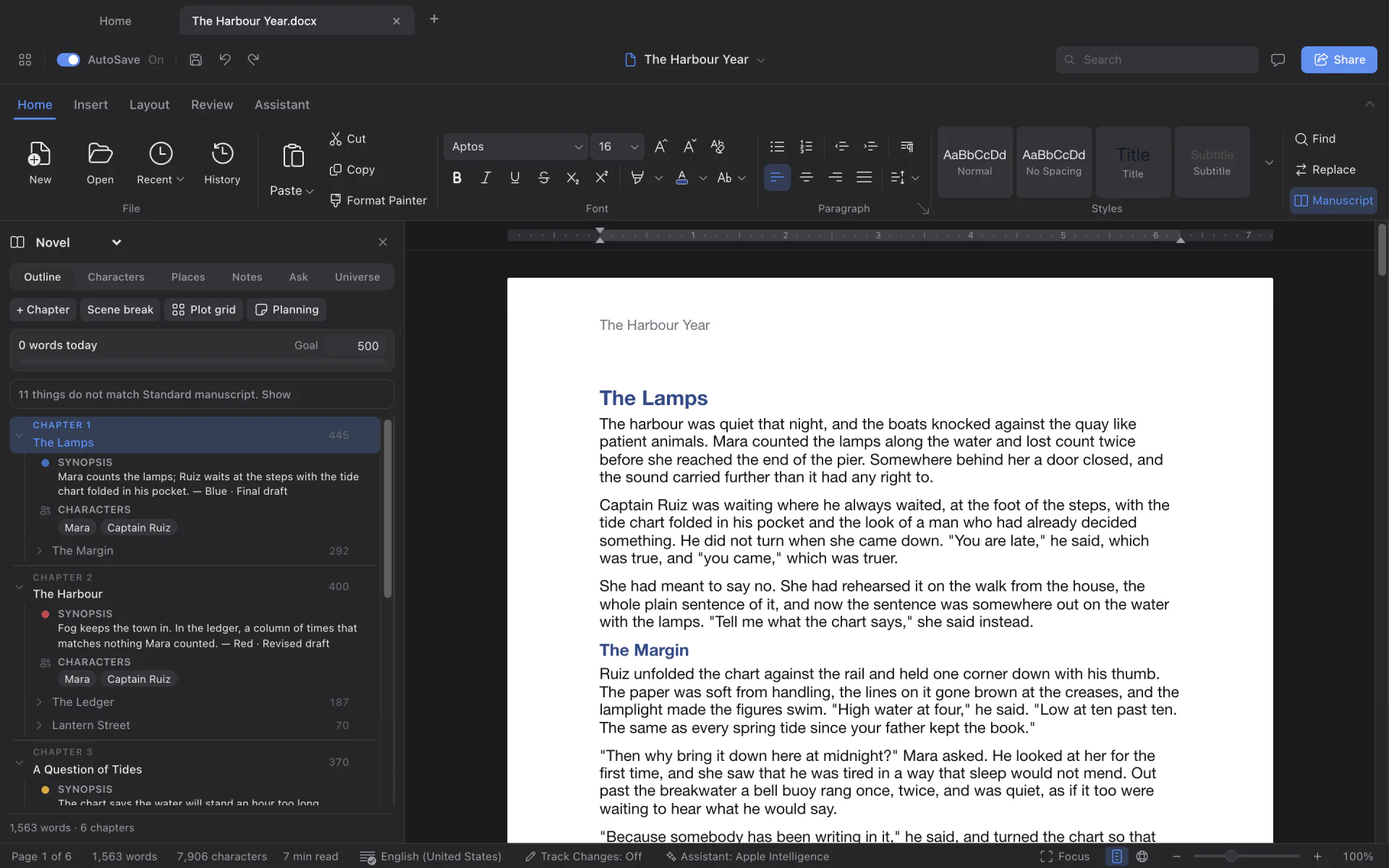
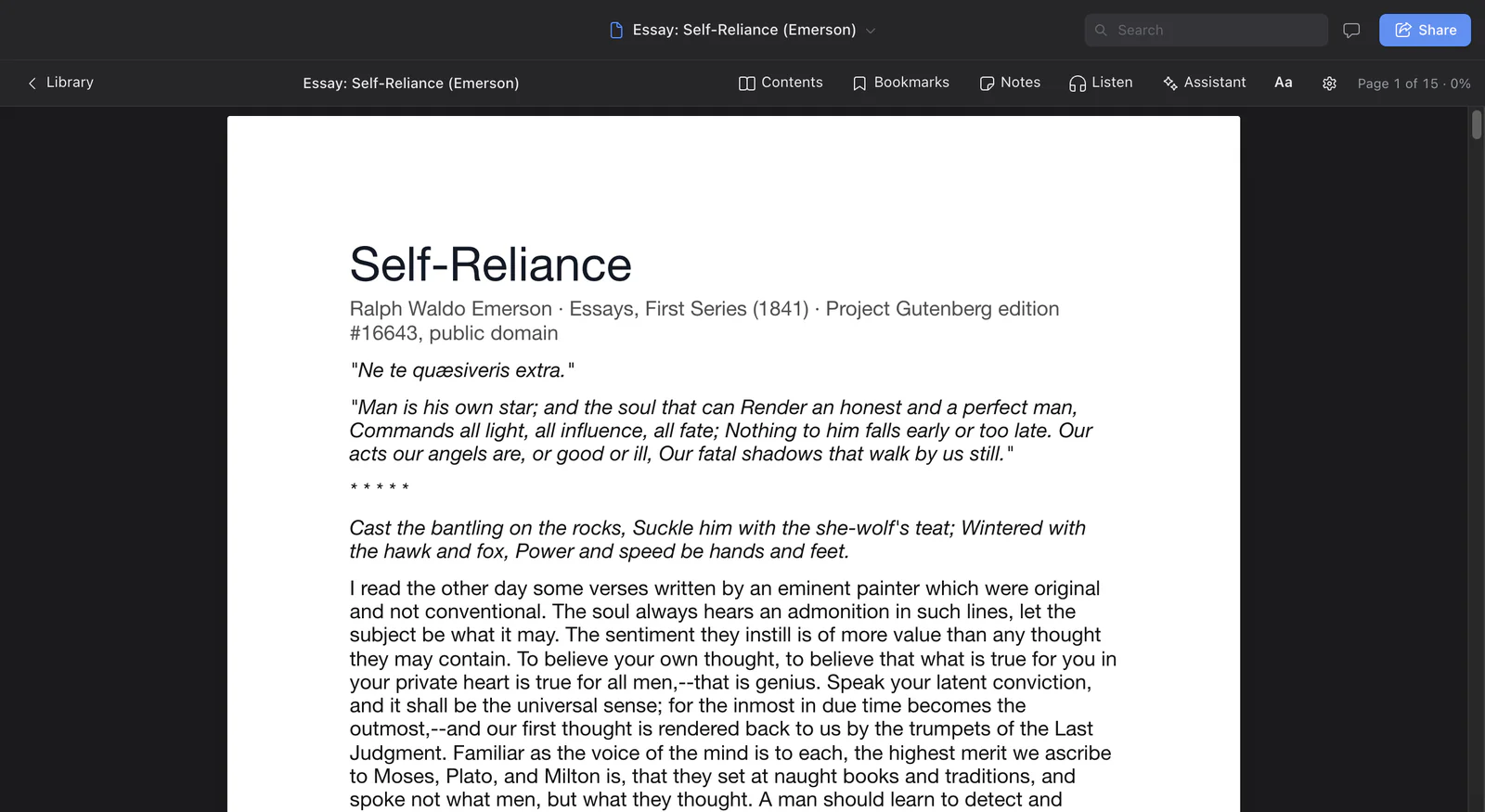
New in 1.6.5 · The Calendar
Deadlines, paced.
Set a date for each book and paper, see the words a day it needs against the pace you really write at, plan the week’s sessions, keep your reminders and trips beside them, put stickers on the days, and get one note a day only when there is something to say. It lives on your Mac, with the rest of your writing.
A deadline for every book and paper
Give a novel, a thesis, a paper or an essay its date and a goal, and the calendar works out the words a day it needs against the pace you have really been writing at, from a log of your words each day. The figure is set at the start of your writing day and stays put while you type; a day missed spreads its words over the days left.
THE HARBOUR YEAR · DUE SAT 19 DEC
898 a day needed. You have been writing 776 a day: at this rate, done by 24 December.
Every deadline wears a pill, and says the two numbers behind it.
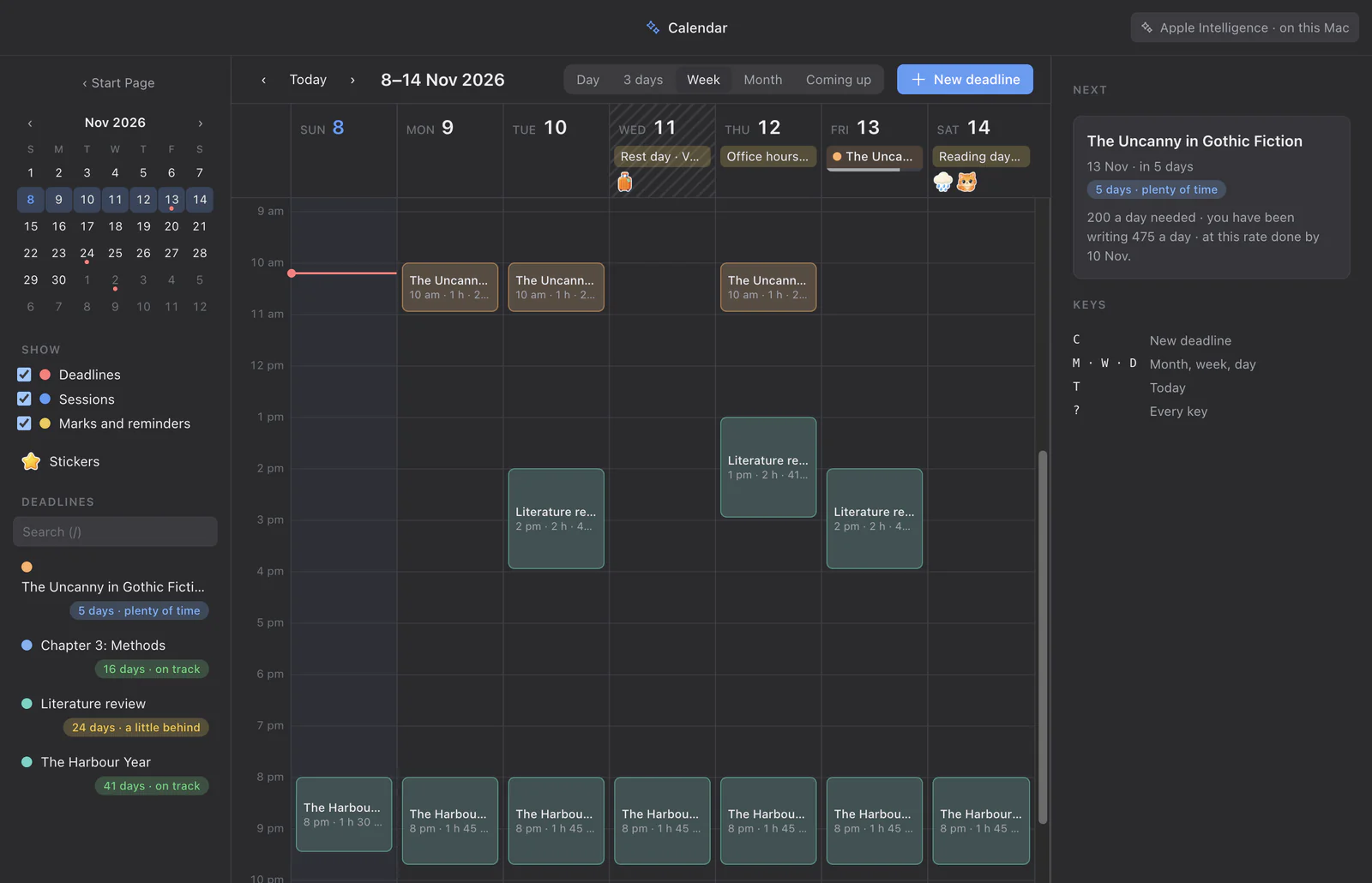
Your week, planned
Plan my week puts a writing session on each writing day at your usual hour, with the day’s words. Replan moves the ones you missed on and works the rest out again. Two sessions at once share one red box, so a clash shows at a glance.
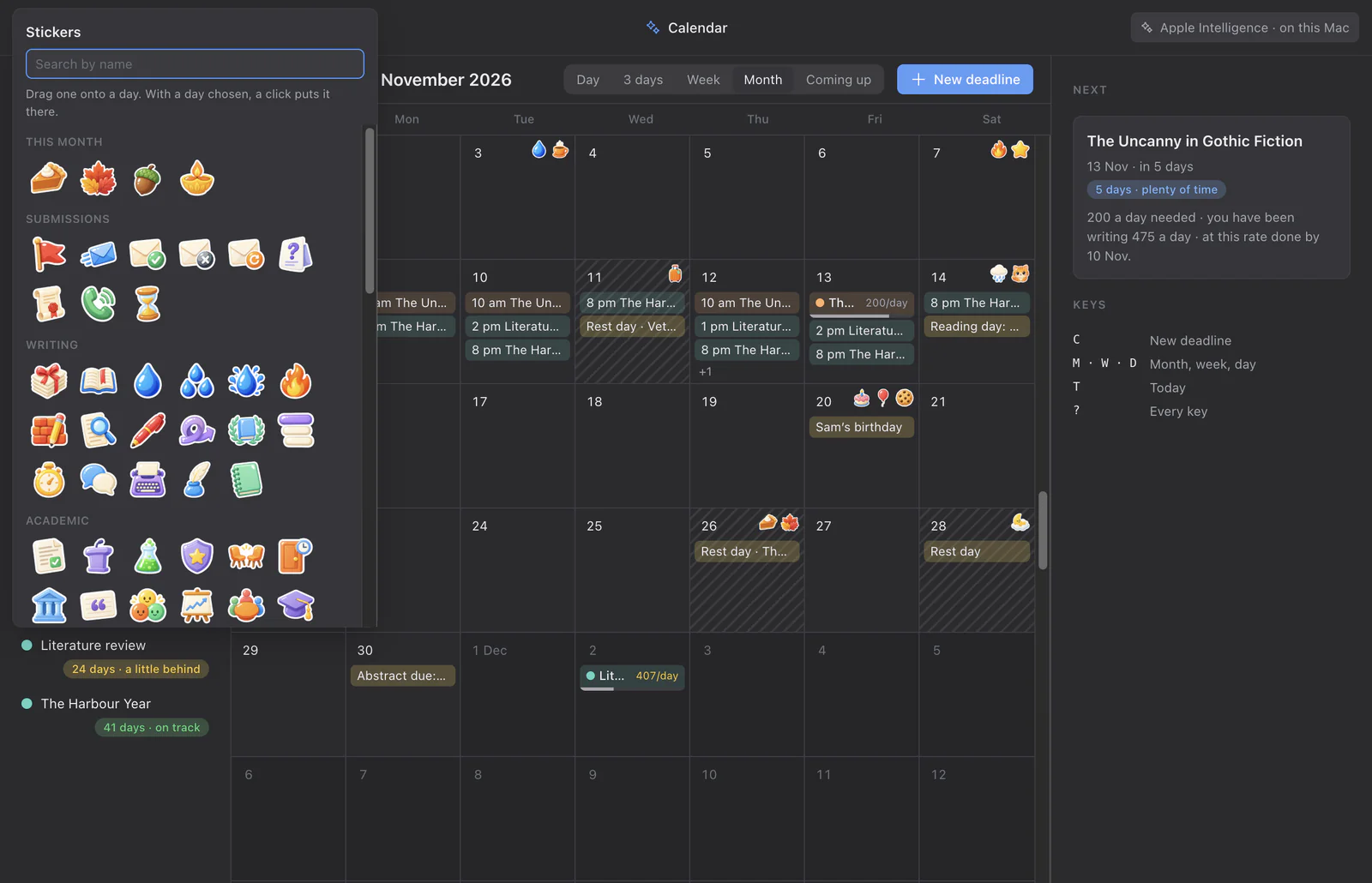
Stickers for the days
A 5k day, a streak, The End, sent, accepted, the viva, a birthday, coffee, a boarding pass, the moons, the season’s own and eighteen animals: 171 stickers in eight families, up to six on a day. Public holidays in the United States and Canada are named on their days, each with its sticker.
A note when there is something to say
One note a day at your hour, and only when a deadline is due, a little behind or time to push, never for plenty of time or on track. Once you allow Scivelle’s notifications it comes with Scivelle closed too, and a click opens the calendar on that deadline. The Dock counts what is due today.
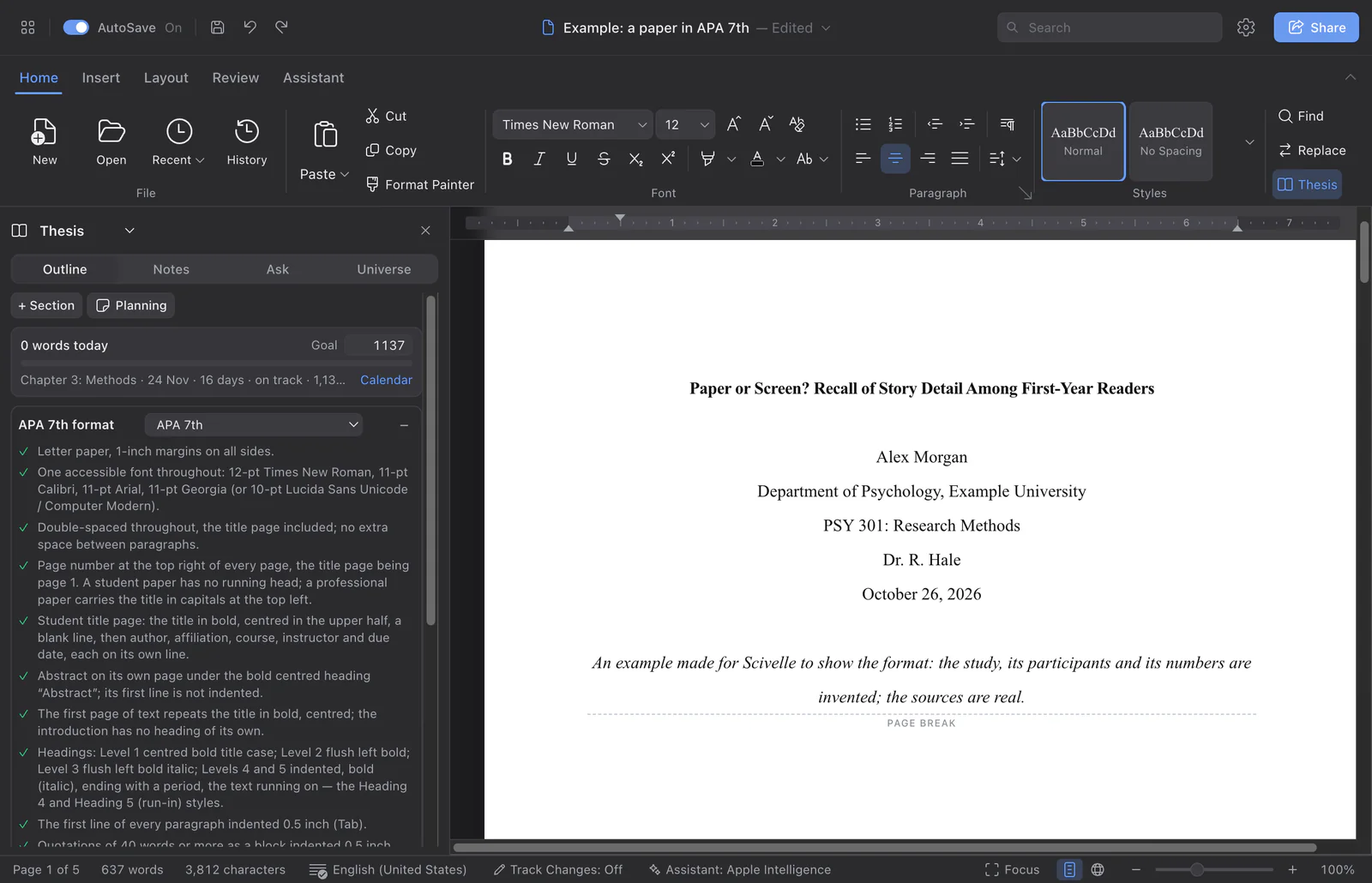
In the Manuscript pane
The pane’s Due row shows the document’s deadline, its date, its state and the day’s figure, which becomes the pane’s goal. Set… gives a document its deadline from there; the wizards ask for the date as you set a thesis or a novel up.
The figures are a plan, not a promise: they follow what you write. The notes arrive once you allow Scivelle’s notifications in macOS. Add to Calendar writes a calendar file for Apple Calendar, Outlook or Google Calendar to import. The calendar is this Mac’s own, kept with your other Scivelle data.
Also new in 1.6.5
Reminders and trips
Reminders all day or at a time, in a colour of your choosing. Trips with their flights, trains, buses, ferries, drives, walks and hotel stays: a ticket card for each with its travel time, every time in its own place’s zone, and the trip’s itinerary day by day, printed as a travel journal’s pages.
A booking read in
Paste or type a booking, say it, or drop a screenshot of its email or page on the calendar, and its days, times, places and booking reference are filled in, a flight each for an itinerary of several. A calendar file from Apple Calendar, Google or an airline comes in the same way.
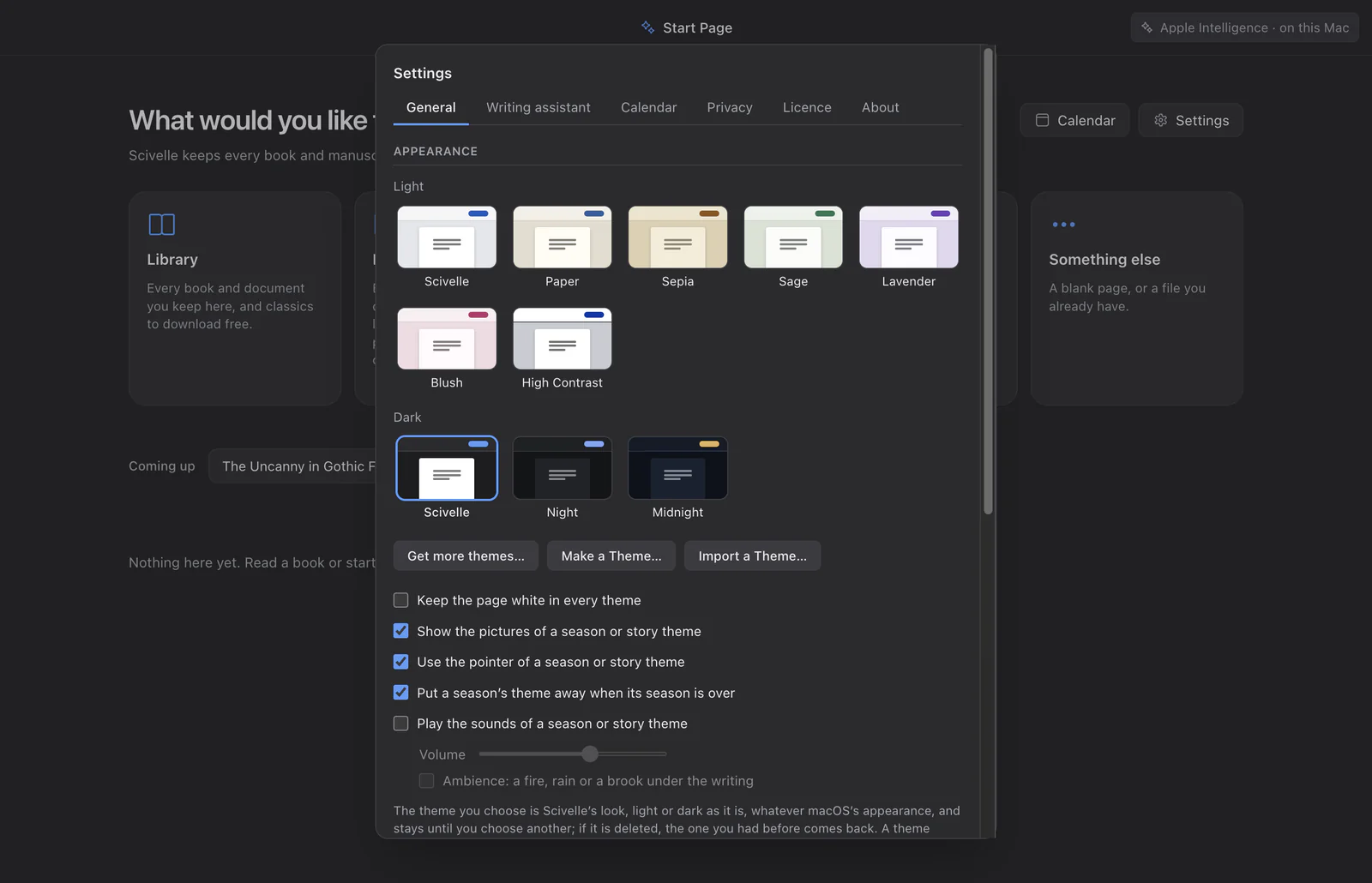
Themes
Paper, Sepia, Sage, Lavender, Blush and High Contrast, Night and Midnight beside Scivelle’s own, one theme whatever your Mac’s appearance; season and story themes from the gallery, with scenes beside the page and sounds you can turn on; or a theme of your own from five colours. What you print or export never changes.
A journal
Home ▸ Journal keeps a page a day on your Mac, encrypted, with pictures and videos taped in. It works on its own: no account, and no server in between.
Since 1.6 · The Internet Archive
Old books, read aloud and on screen.
The Library opens onto the Internet Archive: books libraries scanned, LibriVox audiobooks, old films and old-time radio, free and out of copyright in the United States. Read a book beside your draft, or listen to one while you browse. Only the words you search are sent, and there is no account to make.
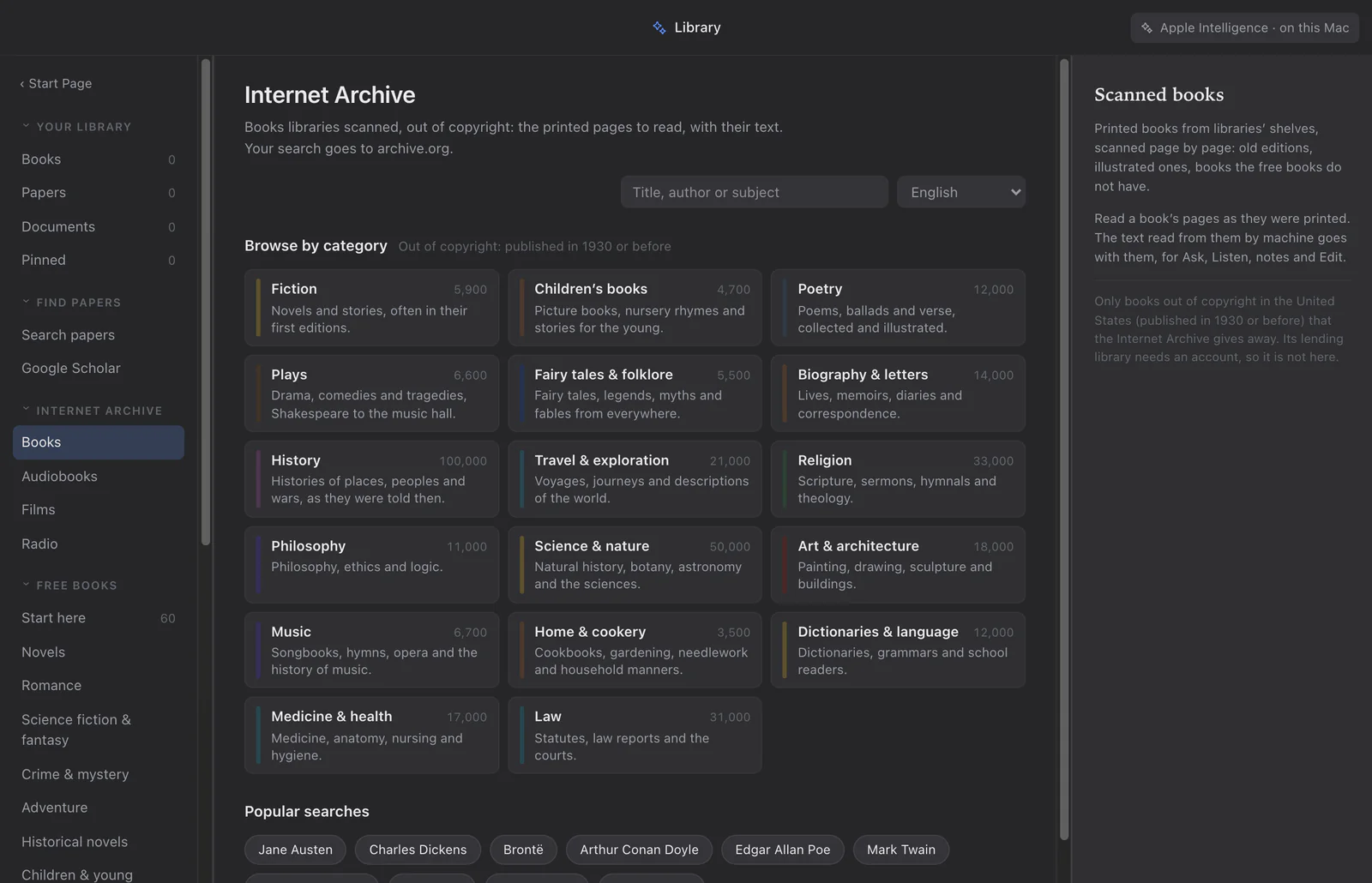
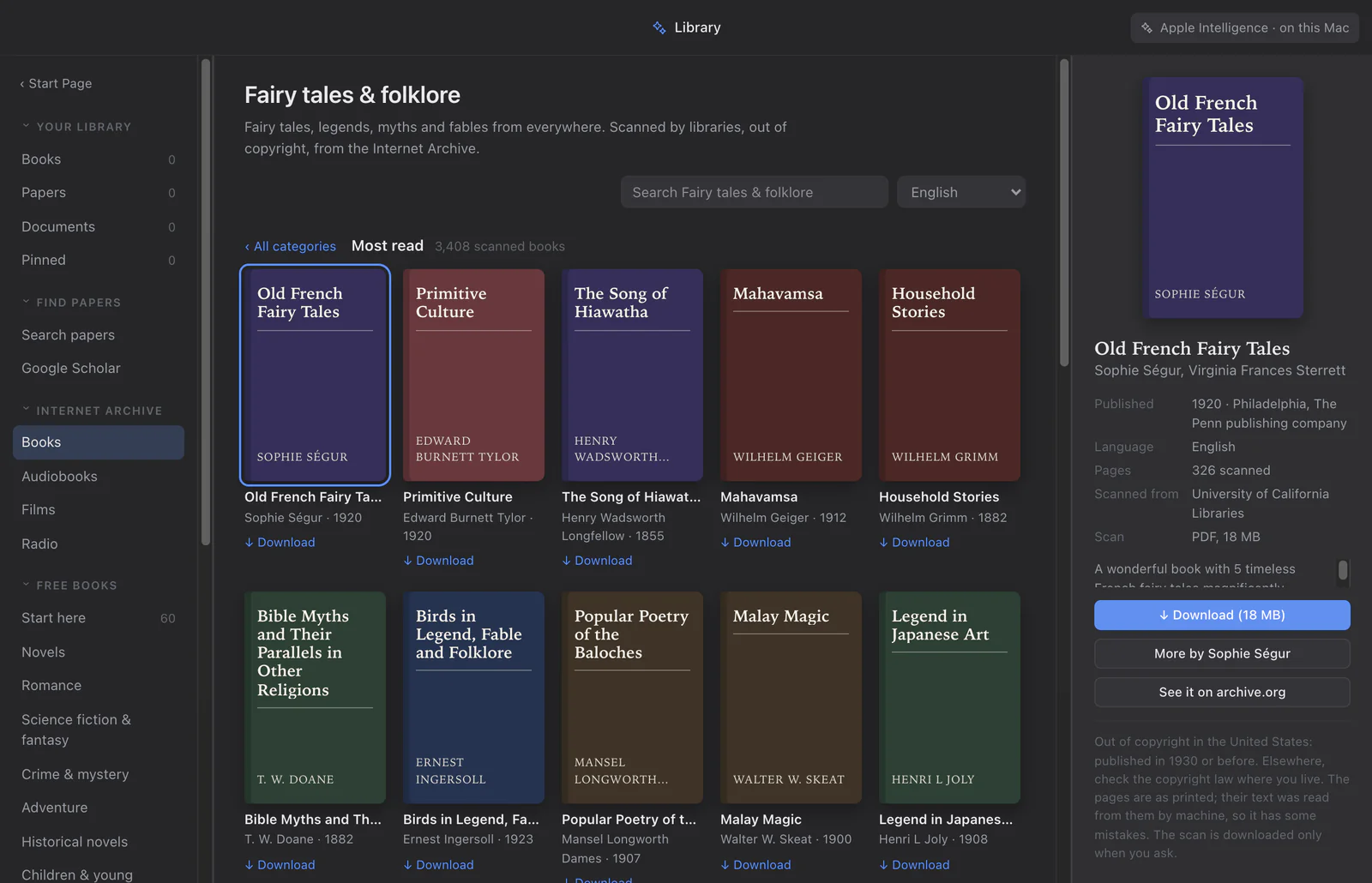
Books libraries scanned
Seventeen categories, from fiction, poetry and fairy tales to history, law and medicine, of printed books published in 1930 or before: old editions and illustrated ones. Read the pages as they were printed. The text the archive read from them by machine comes along for Ask, Listen and Edit; it has mistakes, the pages do not.
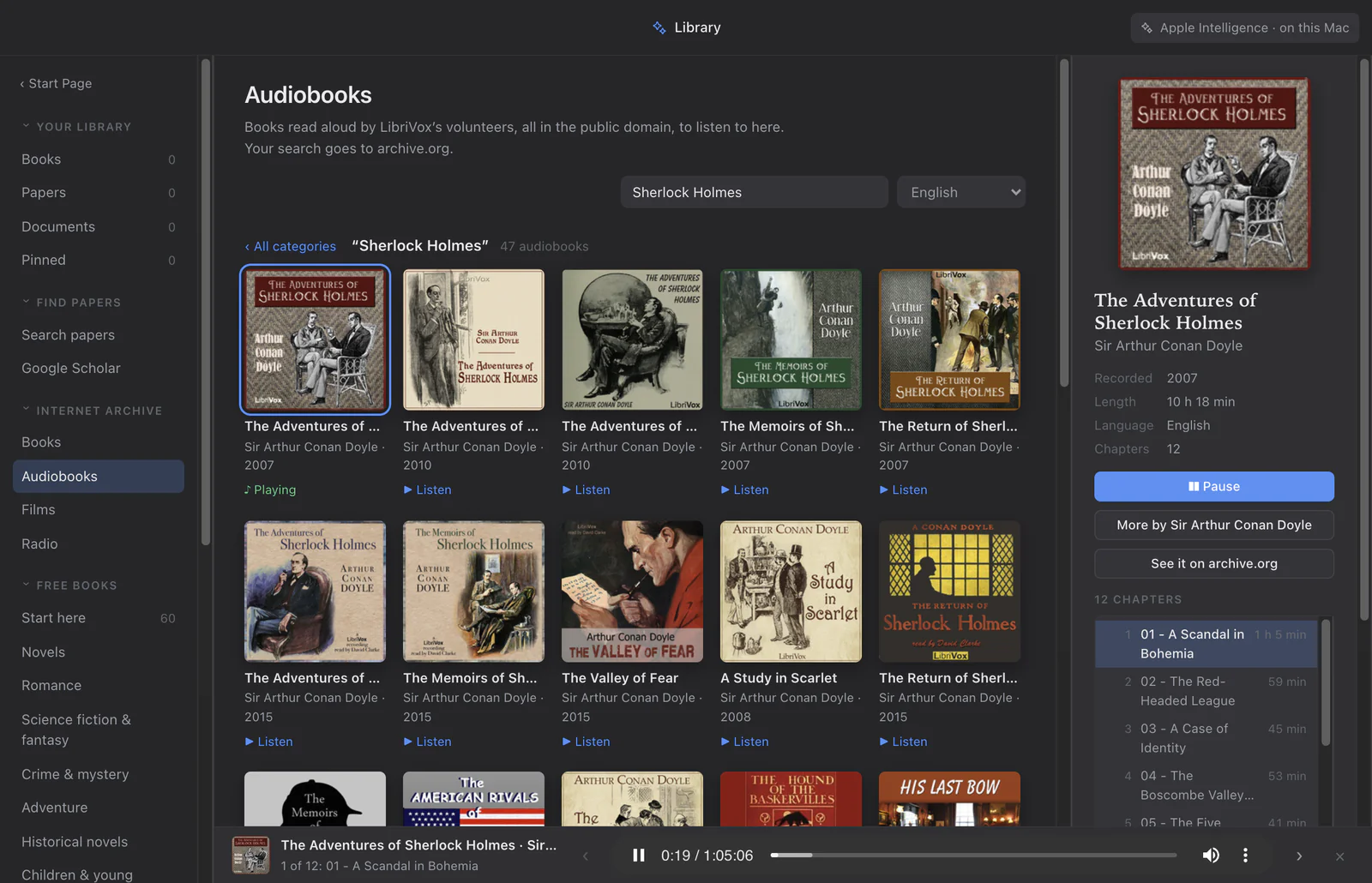
Audiobooks
LibriVox’s readings of public-domain books, read by volunteers in many languages. One plays in a bar at the foot of the Library while you browse, and goes on from where you stopped.
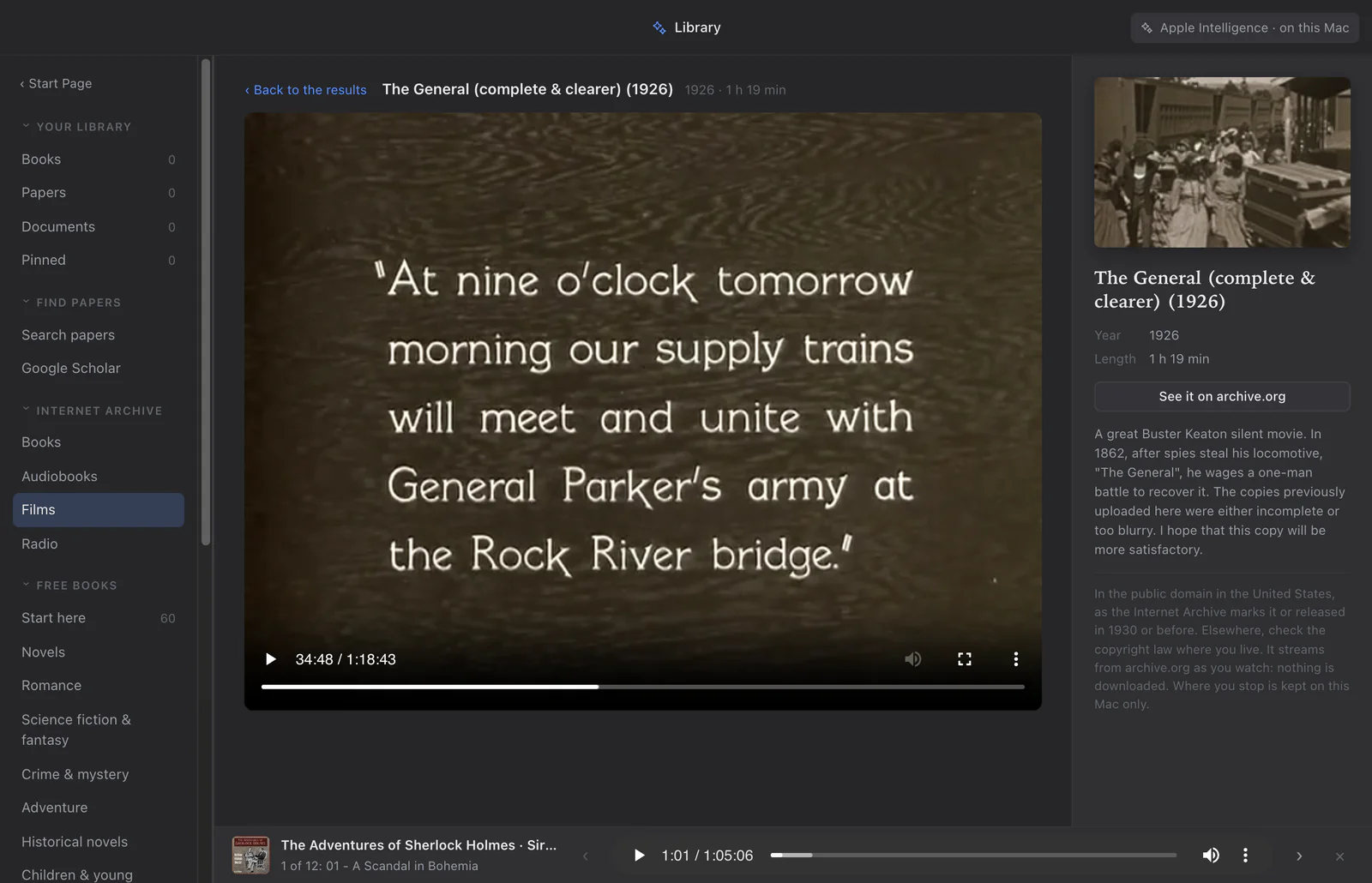
Films
Silent films, film noir, cartoons, serials and newsreels from the Internet Archive’s own collections, played large or full screen as they stream.
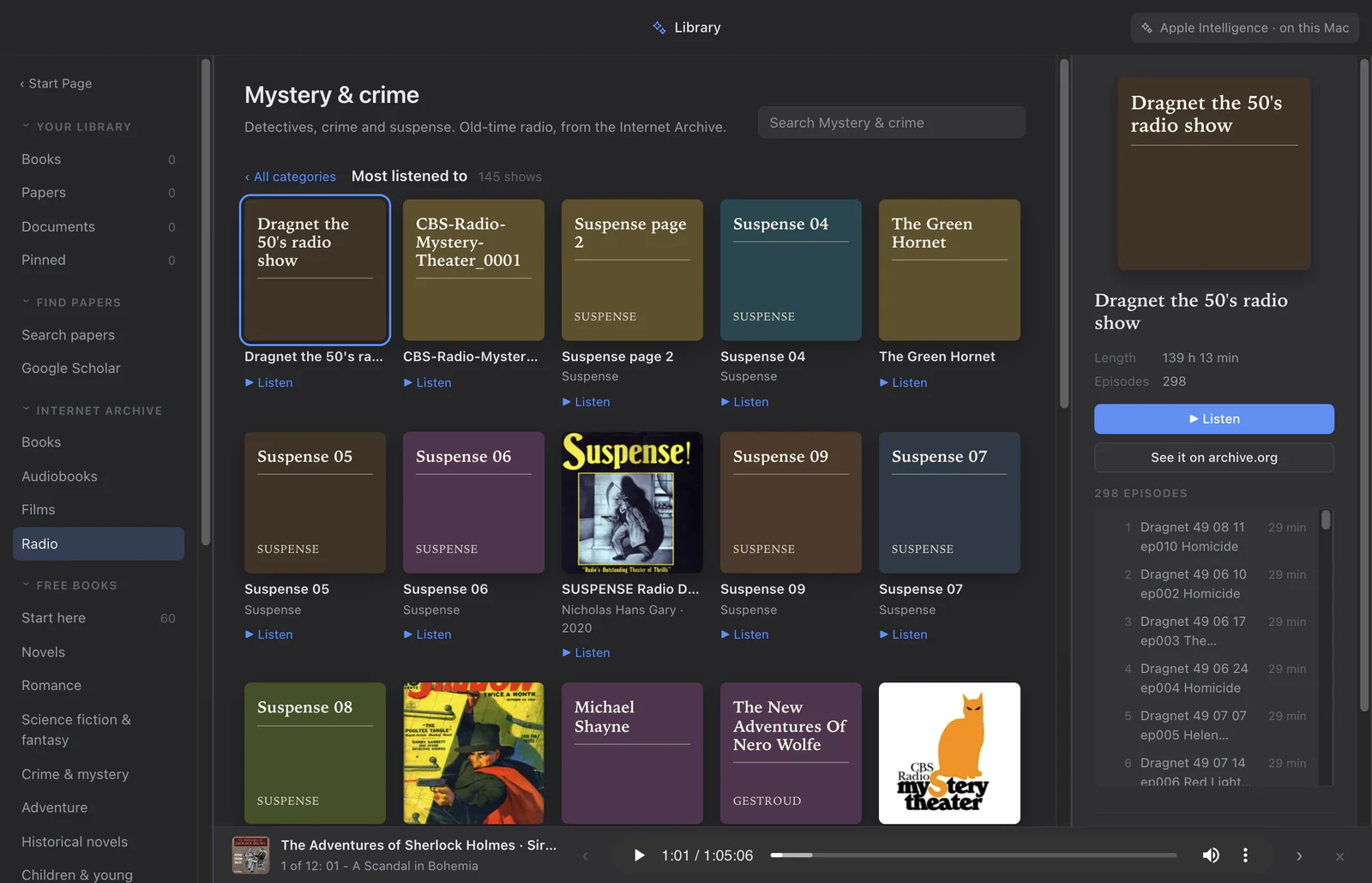
Radio
Old-time radio marked public domain, by category, such as mystery and crime, each show with its episodes in order.
Out of copyright in the United States, as the Internet Archive marks them: books published in 1930 or before, films and shows marked public domain. Elsewhere, check the copyright law where you live. Films, shows and audiobooks stream as you play them; a book is downloaded only when you ask.
Also in 1.6
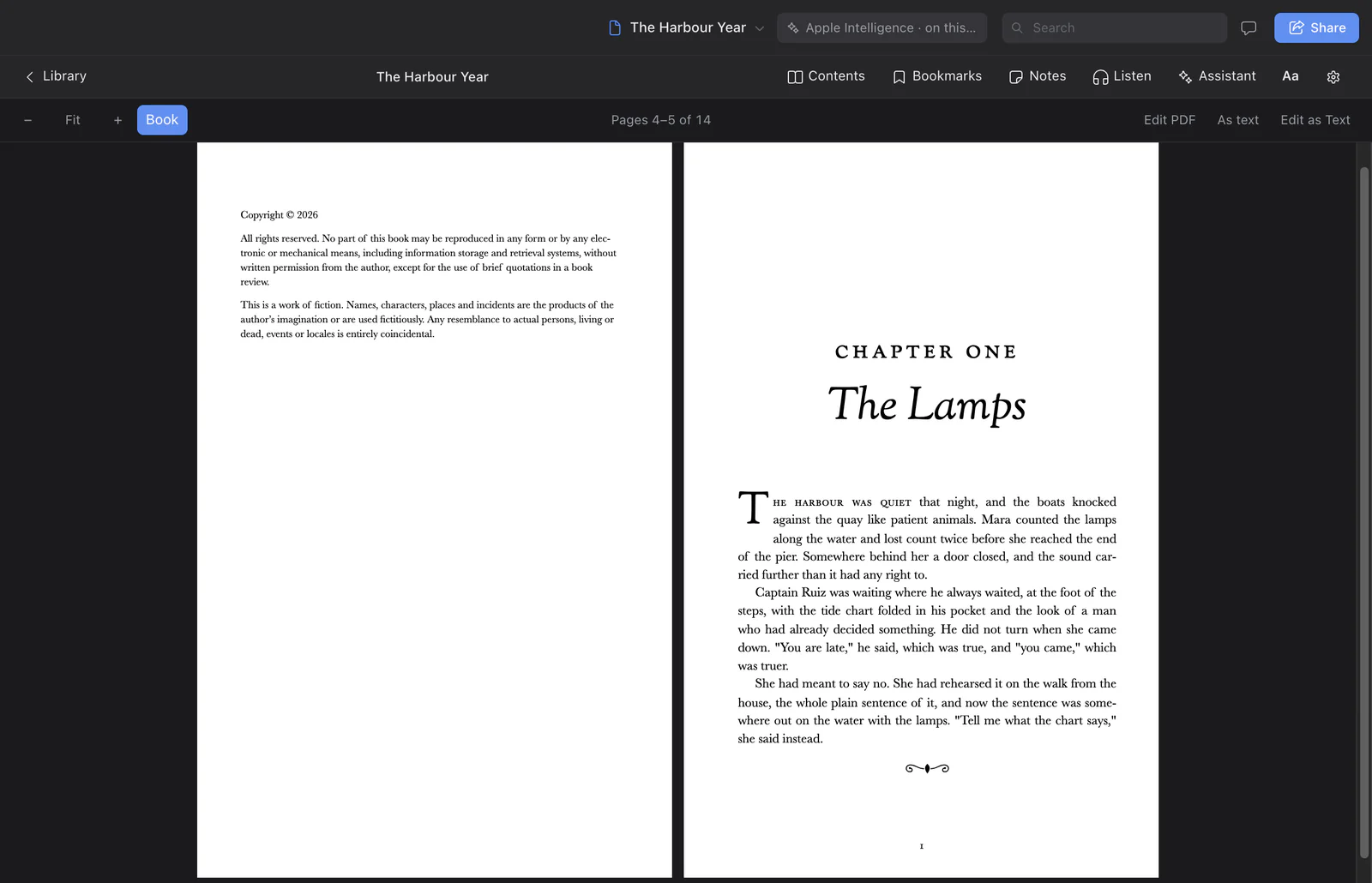
Book view for PDFs
Book on the PDF bar shows two facing pages at a time, the cover alone first, as a printed book opens. Here, the paperback Publish made.
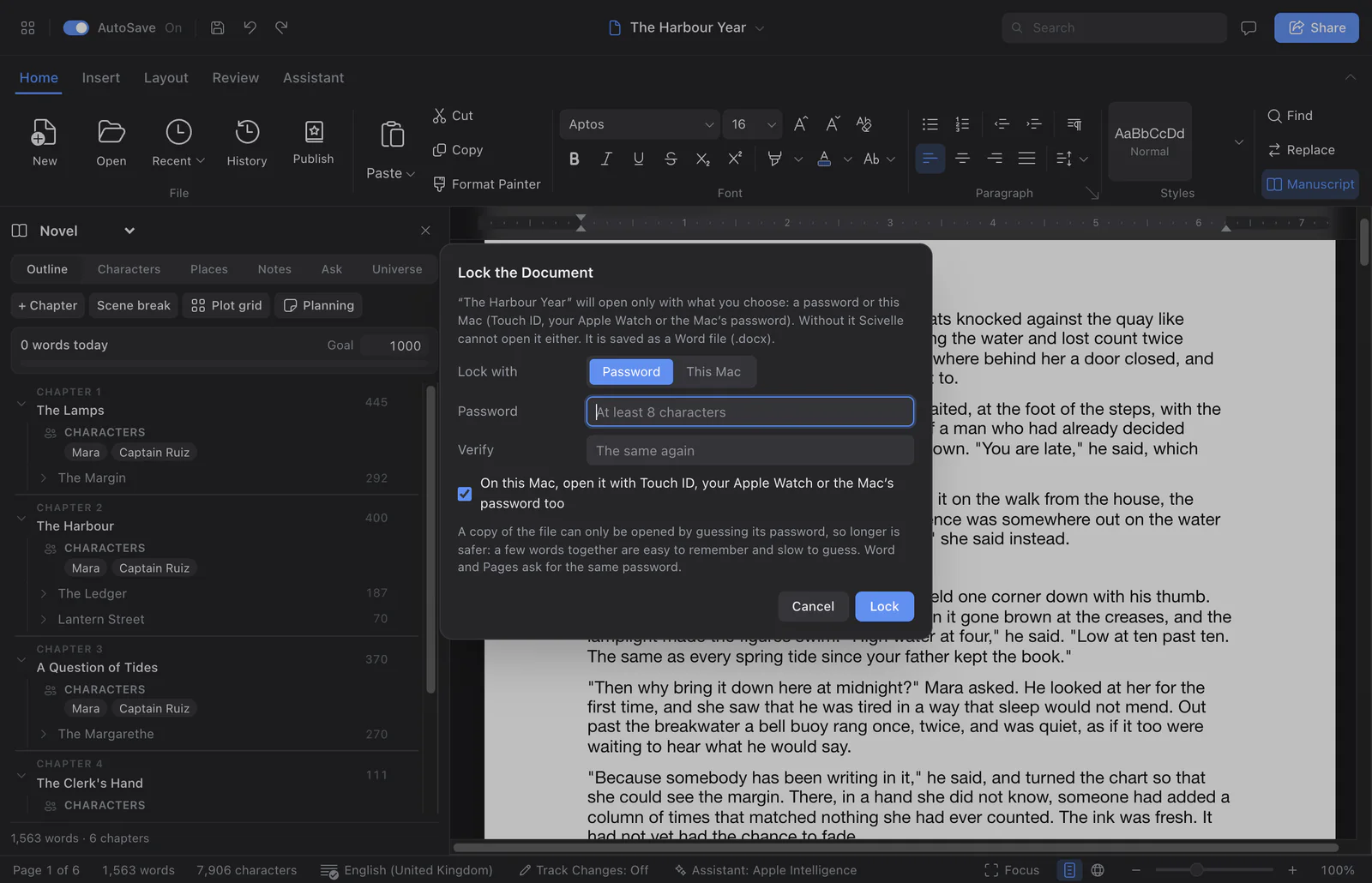
Locks take a password
A locked document now takes a password of at least eight characters, or this Mac with Touch ID. A long password protects it best: a few words together are easy to remember and slow to guess.
Since 1.5
What 1.5 brought.
Publish your book for the shops and the agents, cite and read papers, plan on a corkboard, and give every character and place a card. Locks and Version History too.
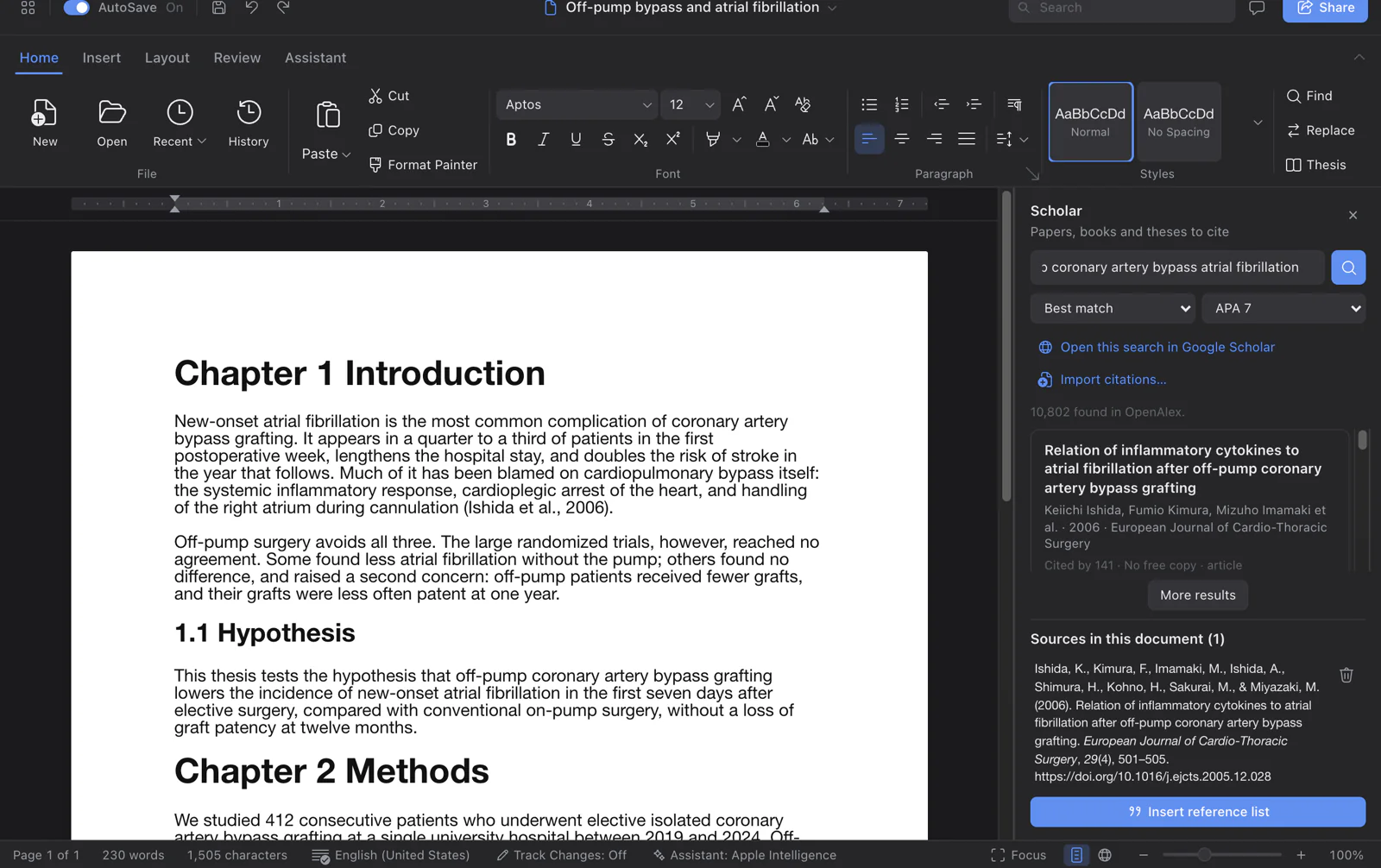
Scholar, beside the page
Search some 250 million papers, books and theses while you write, and cite one at the caret in APA, MLA, Chicago, Harvard or IEEE. Every source you cite is kept with the document, and Insert reference list writes the list in order.
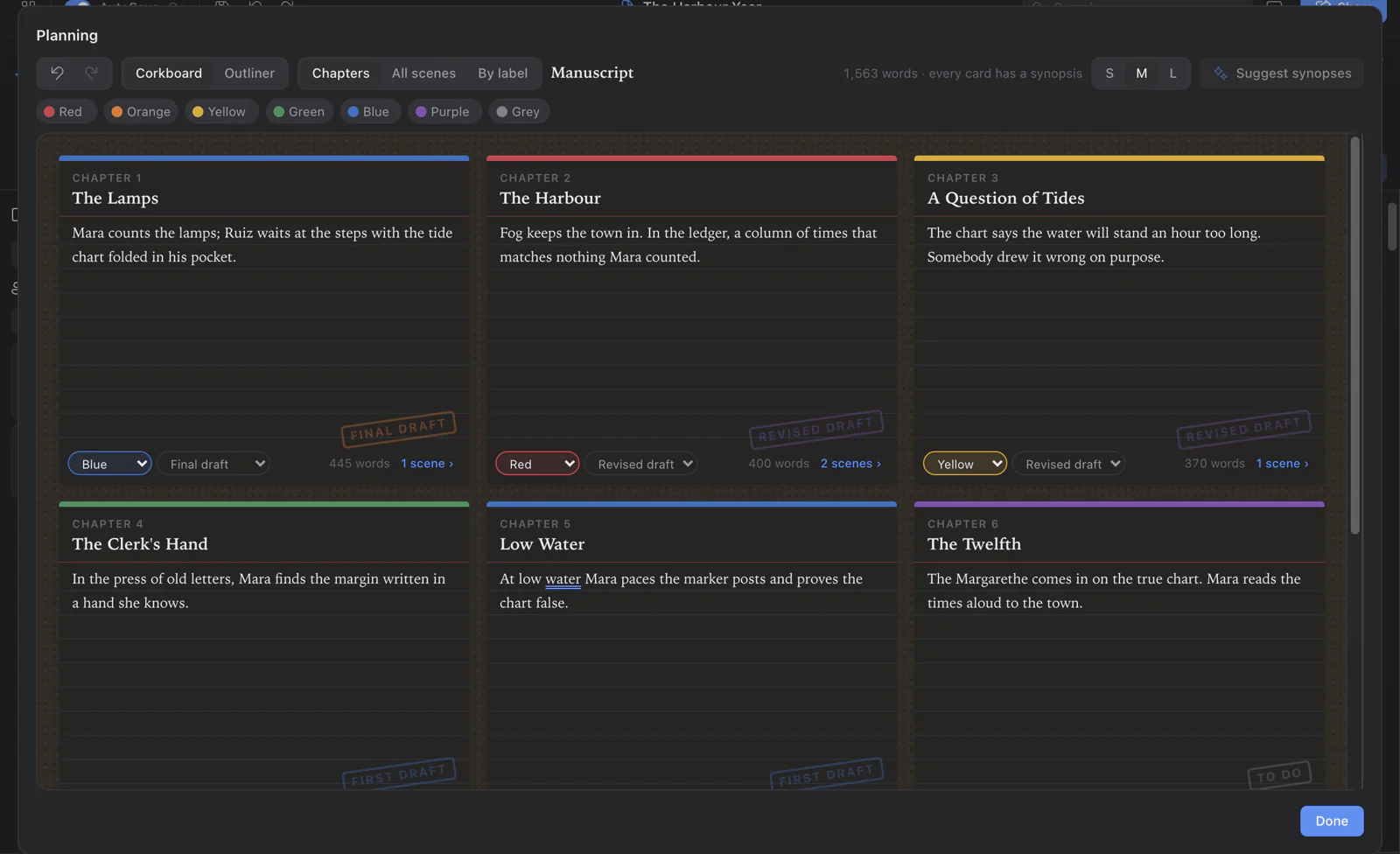
Corkboard and outliner
Plan on index cards: a synopsis, a colour label and a status for every chapter and scene. Drag a card and the manuscript moves with it, or read the same cards as rows in the outliner.
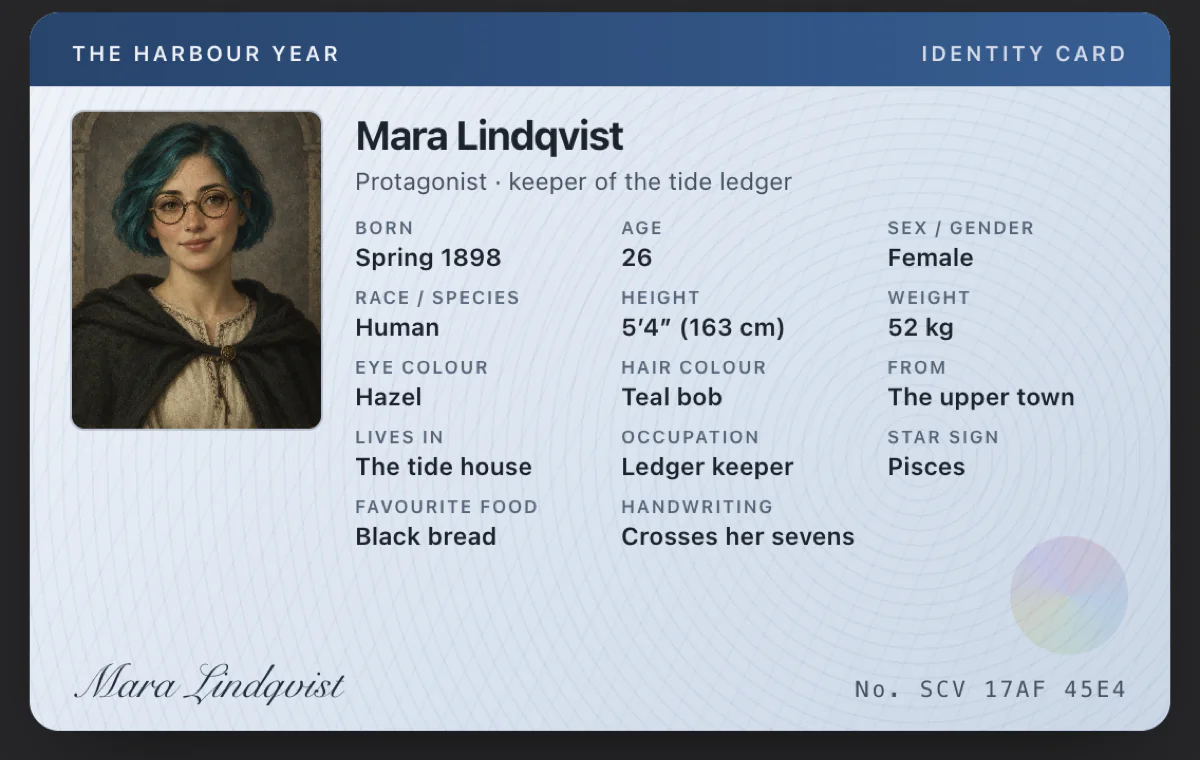
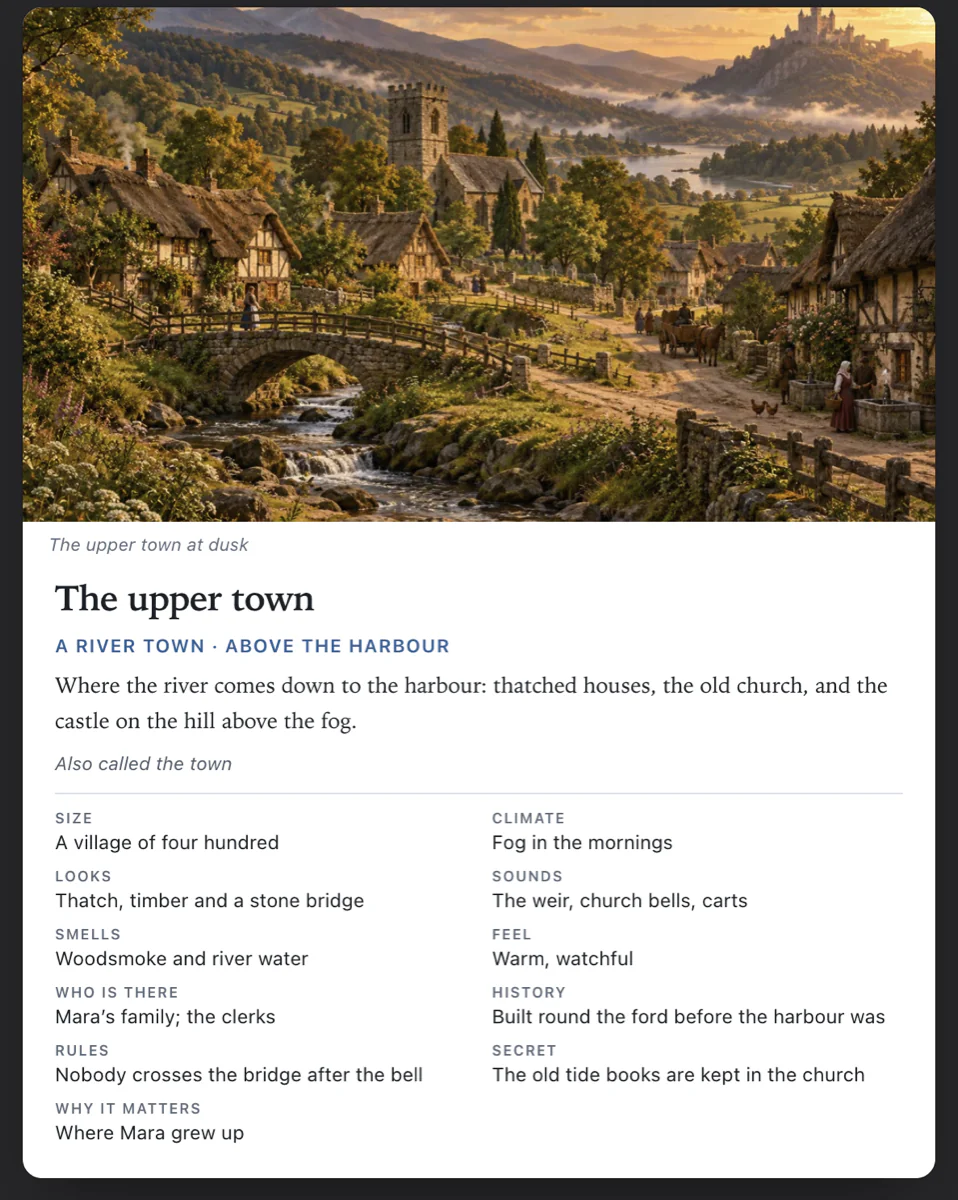
Characters and Places
Every character gets an ID card: their details from age to what they fear, and every mention by chapter. Places sit beside them with cards of their own, and you can add details of your own to both.
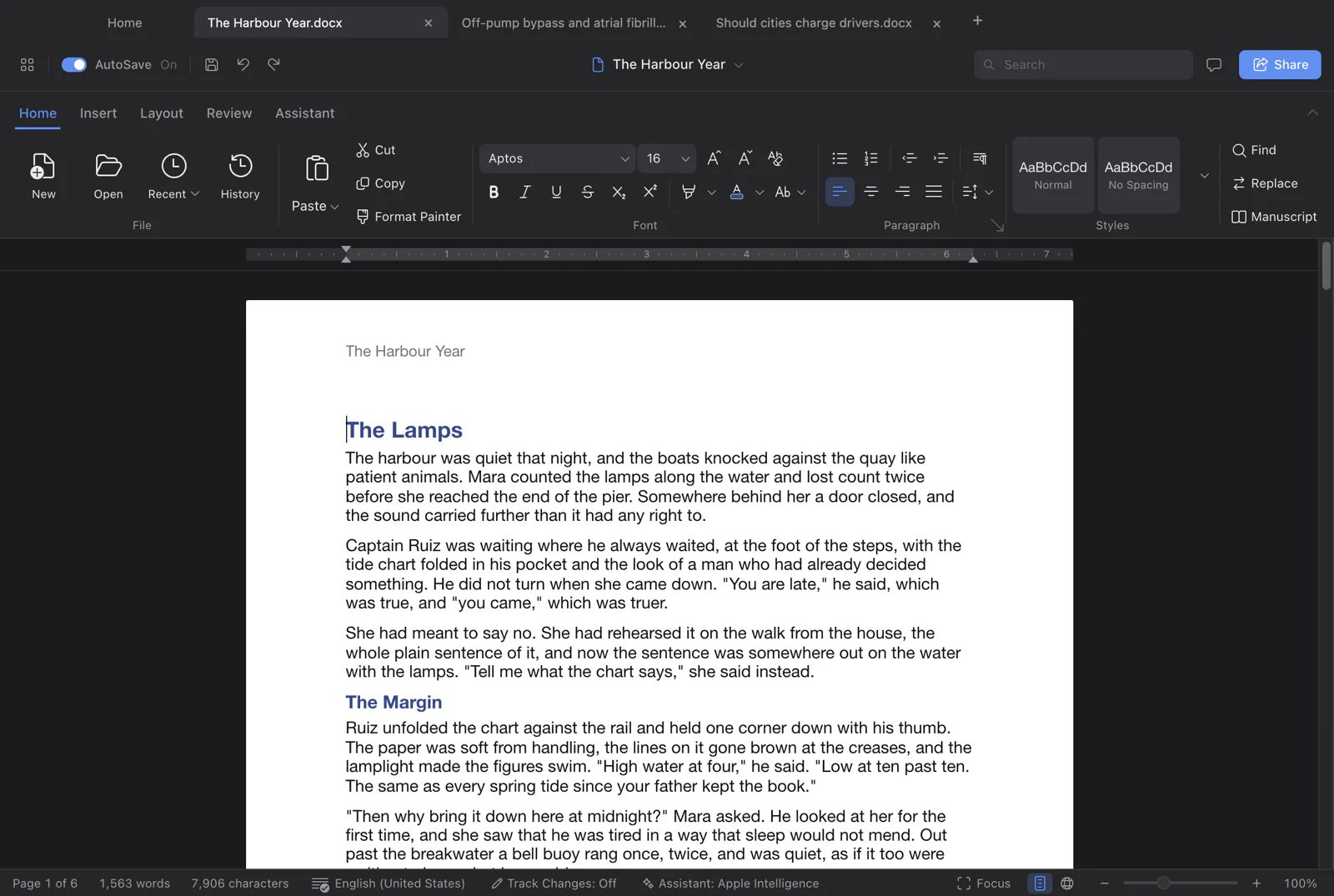
Documents in tabs
Each document in a tab of its own beside Home, your Start Page and Library. ⌘T opens a new one; drag a tab out into a window of its own.
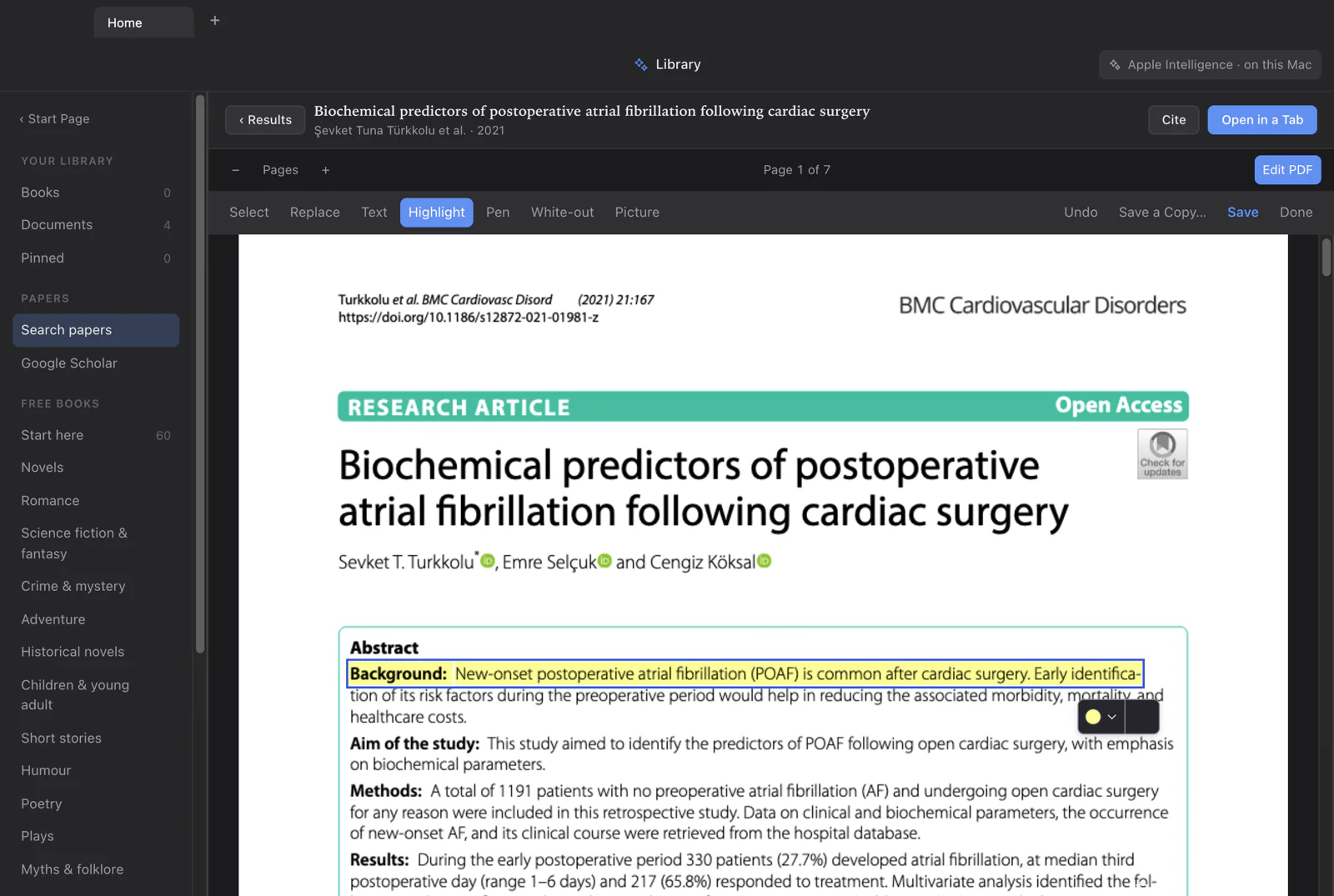
PDFs, read and edited
Read a PDF as printed, then fill in its forms, replace words where they stand, add text, a highlight or your signature. The original is kept beside it.
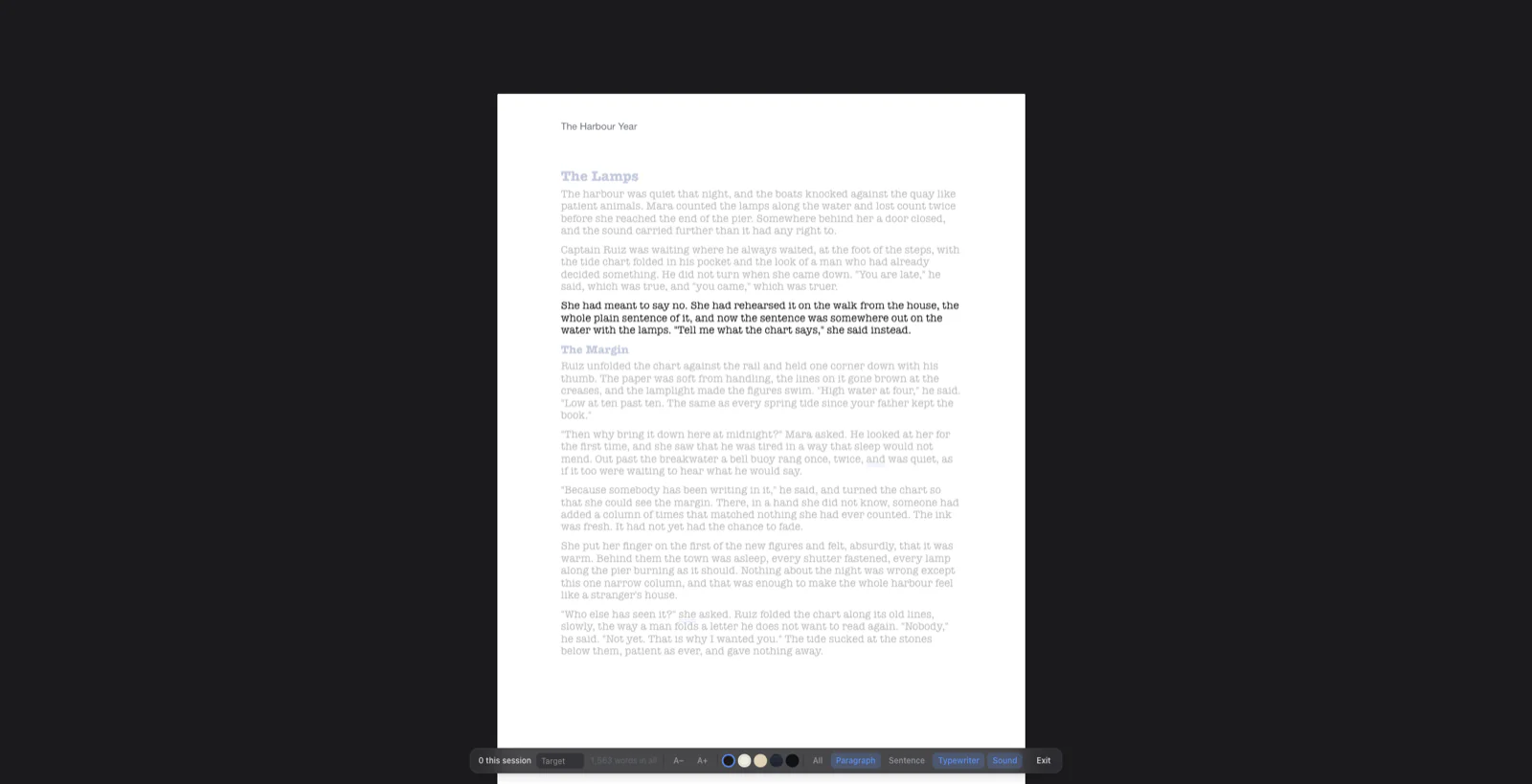
Focus Mode, with a typewriter
Full screen, just the page on a backdrop you choose. The line you type stays in the middle, and a 1940 typewriter answers every key, bell included.
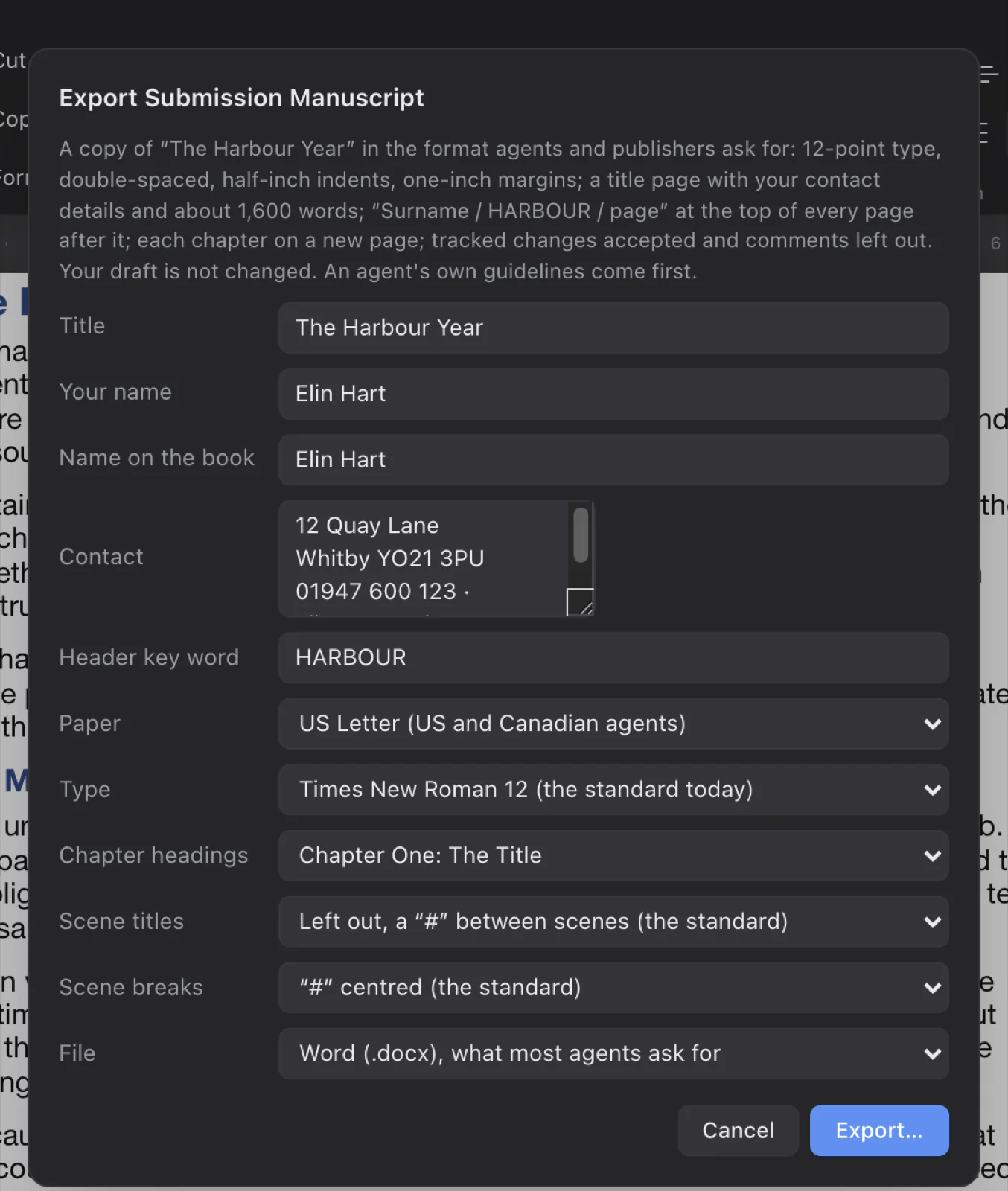
Ready to send out
The submission manuscript agents ask for, an ebook for Kindle, Apple Books and Kobo, or a print-ready paperback interior, with chapters numbered for you.
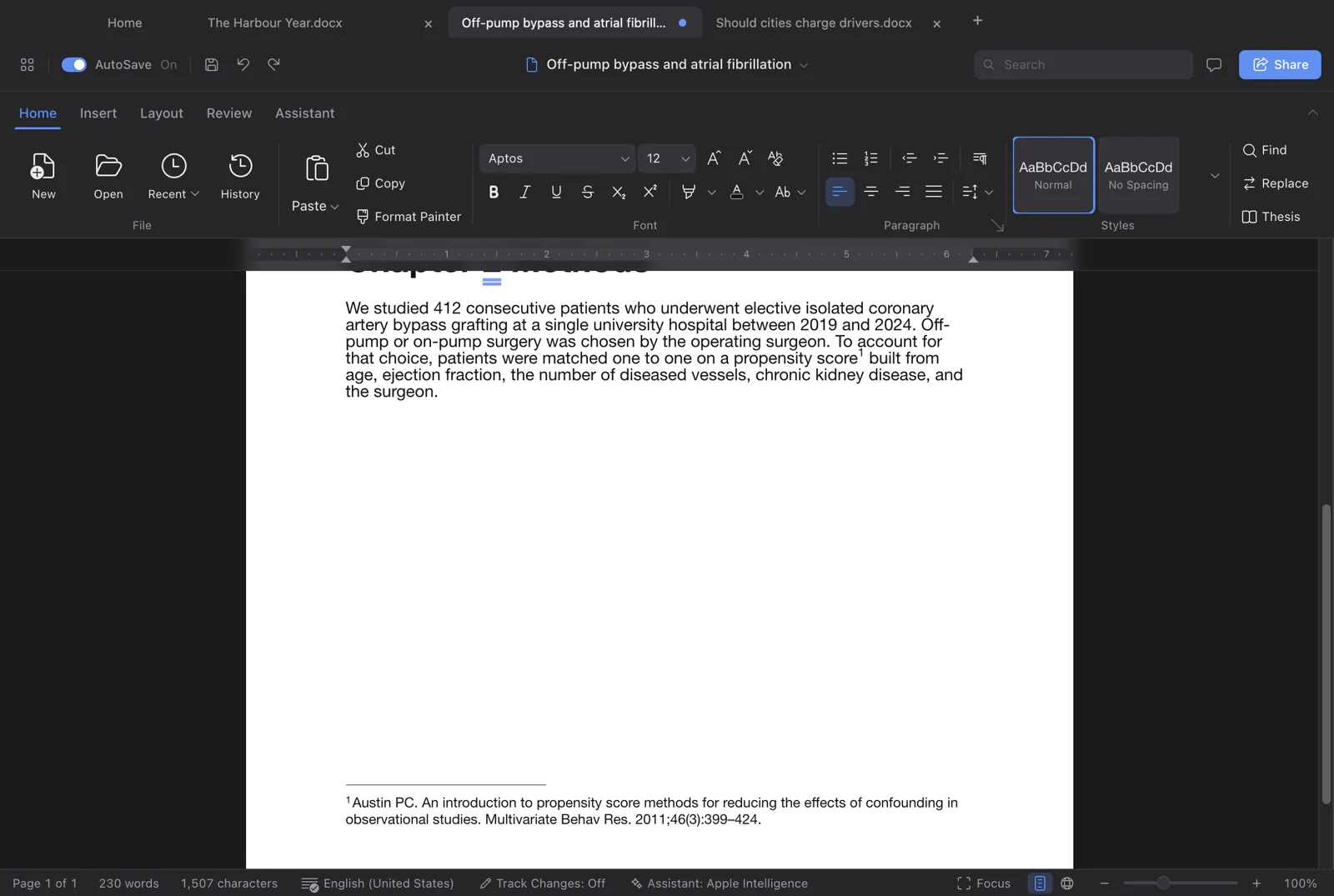
Footnotes and journal formats
Footnotes at the foot of the page, Chicago notes and bibliography, APA’s professional paper, lettered appendices and block quotations.
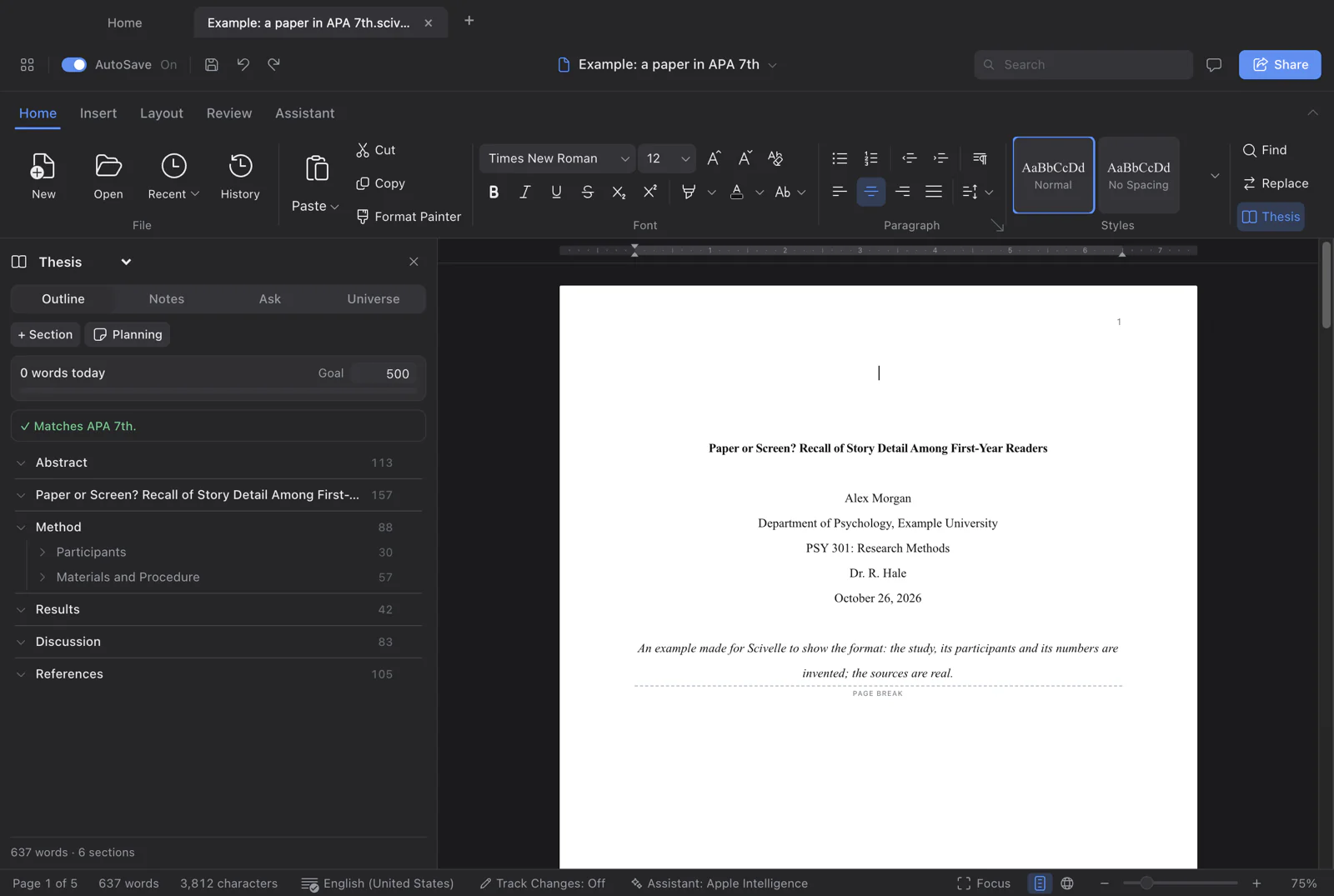
Finished examples
A novel and a short story in manuscript format, and a paper in every citation style, to see what a finished piece looks like before you hand yours in.
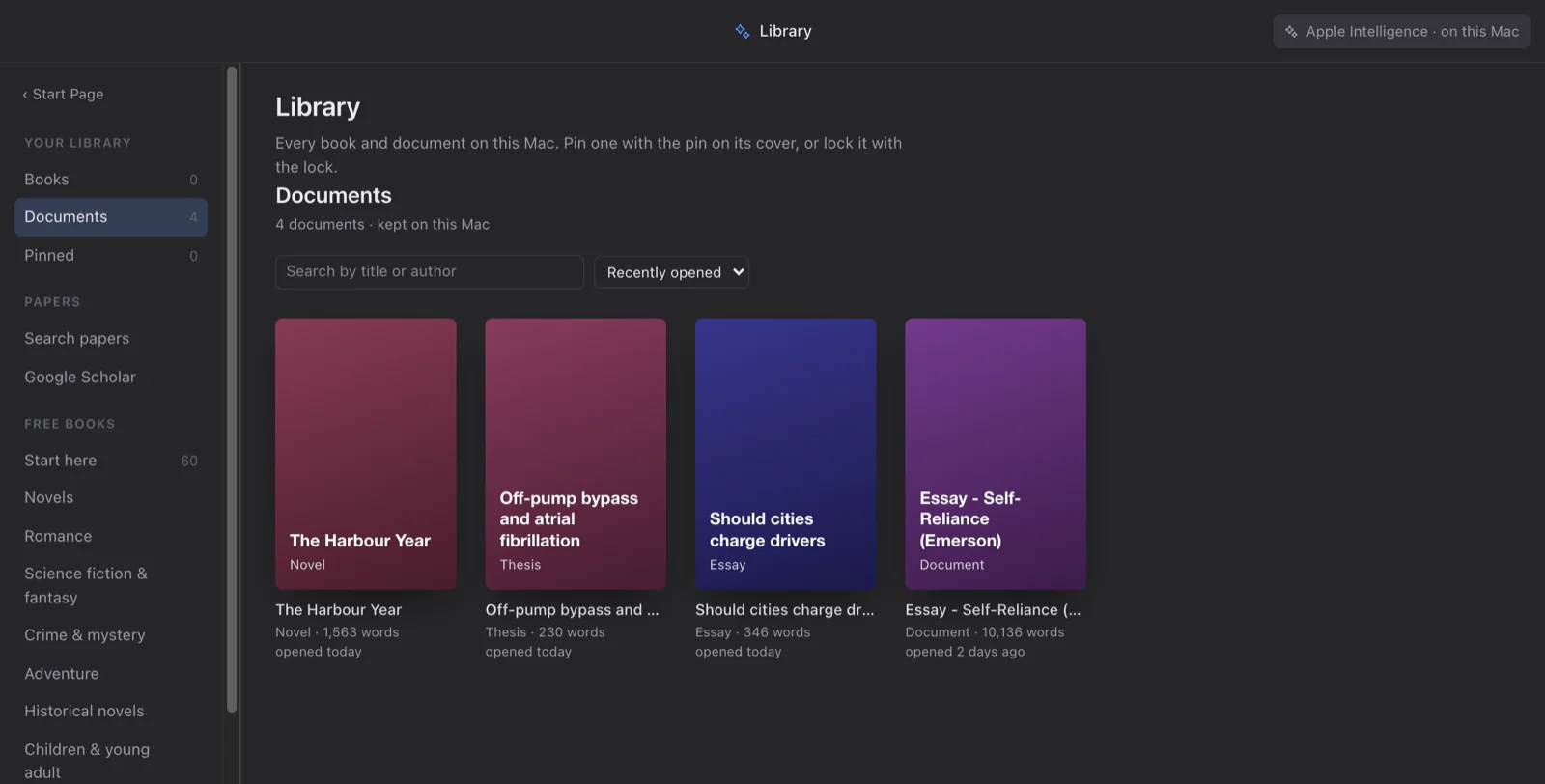
The Scivelle file
Everything about a work in one file: the text, the cards, characters and places, the Universe, and every version you kept. Your documents wait in the Library.
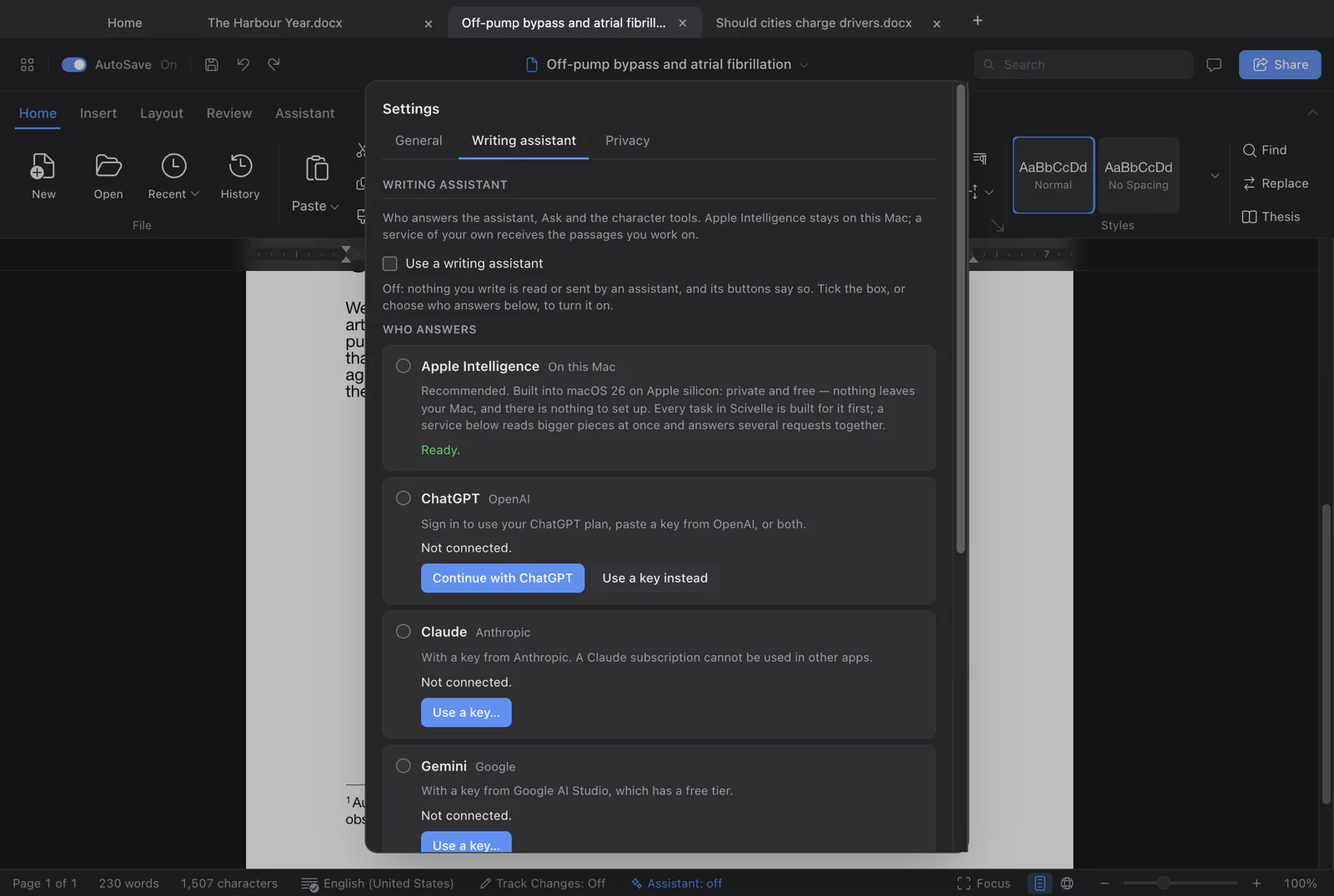
The helper, your call
Turn the writing assistant off in Settings and nothing you write is sent anywhere, as long as Listen reads in voices on your Mac. Scivelle is then simply a quiet place to write.
Since 1.5 · Publish
From manuscript to bookshop.
When the book is done, File ▸ Publish makes it ready for readers: a paperback interior, an ebook for each store and the submission manuscript for agents, each previewed page by page in the book’s own tab, then made together into one folder. Your manuscript is never changed.
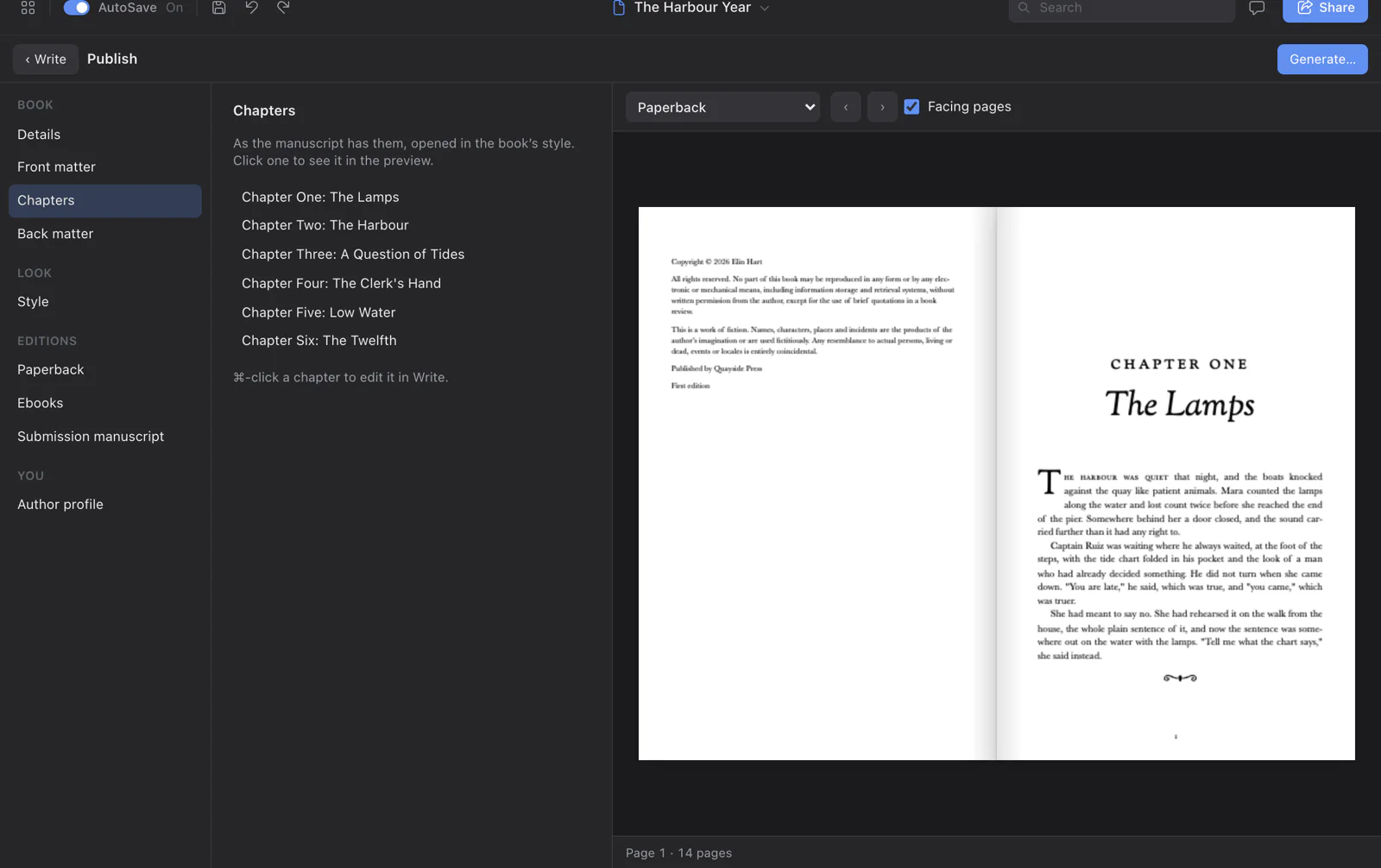
A paperback, page by page
A print interior in the trim sizes KDP and IngramSpark offer: running heads, roman numbers before chapter one, chapters opening on the right. The preview is the very PDF Generate makes.
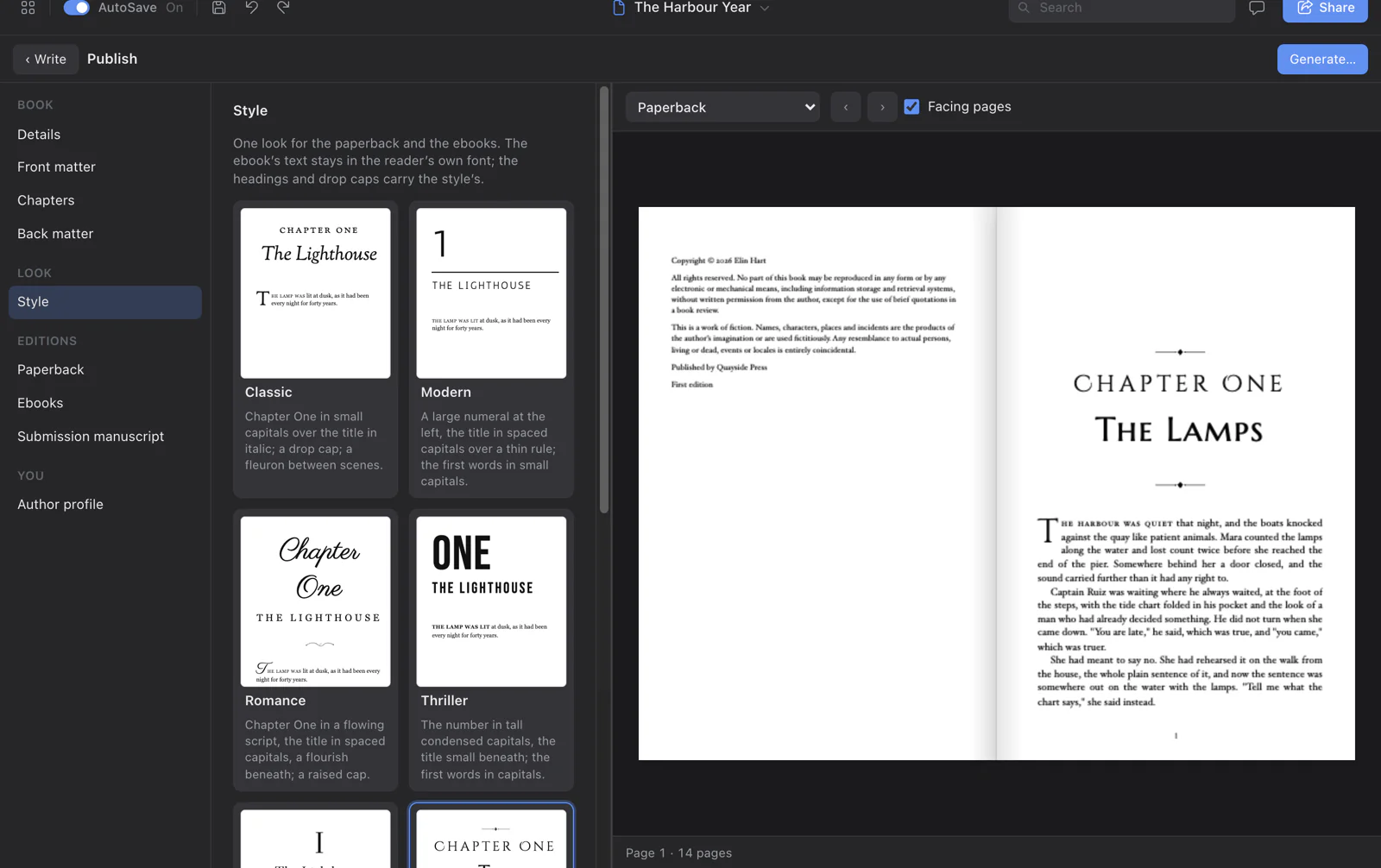
Six book styles
Classic, Modern, Romance, Thriller, Literary and Fantasy, each with its own display fonts, chapter openings, drop caps and ornaments. Pick one and the whole book follows.
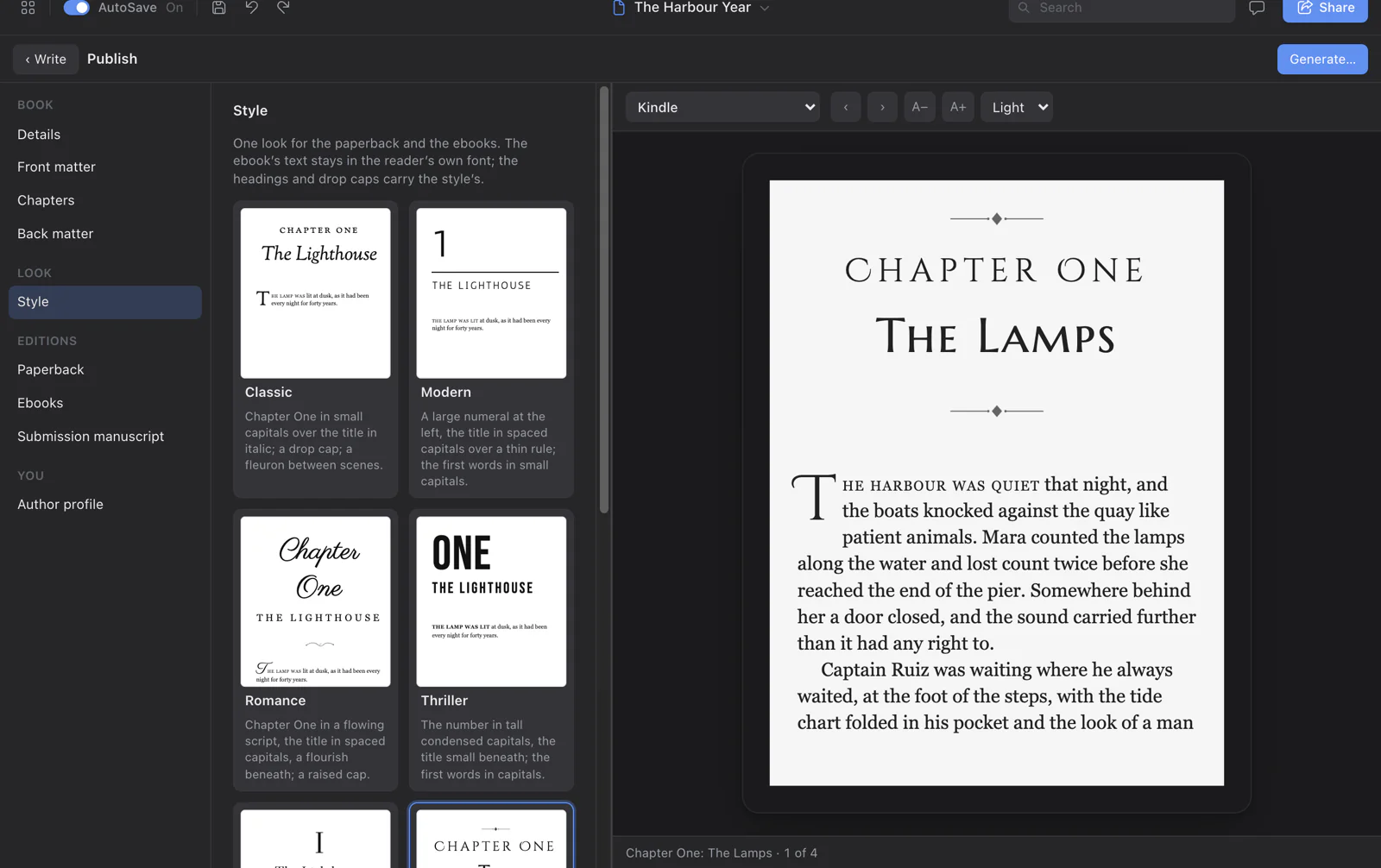
An ebook for each store
Kindle, Apple Books, Kobo, Google Play and Barnes & Noble, each previewed on its own reader with the reader’s type size and Light, Sepia or Night to try.
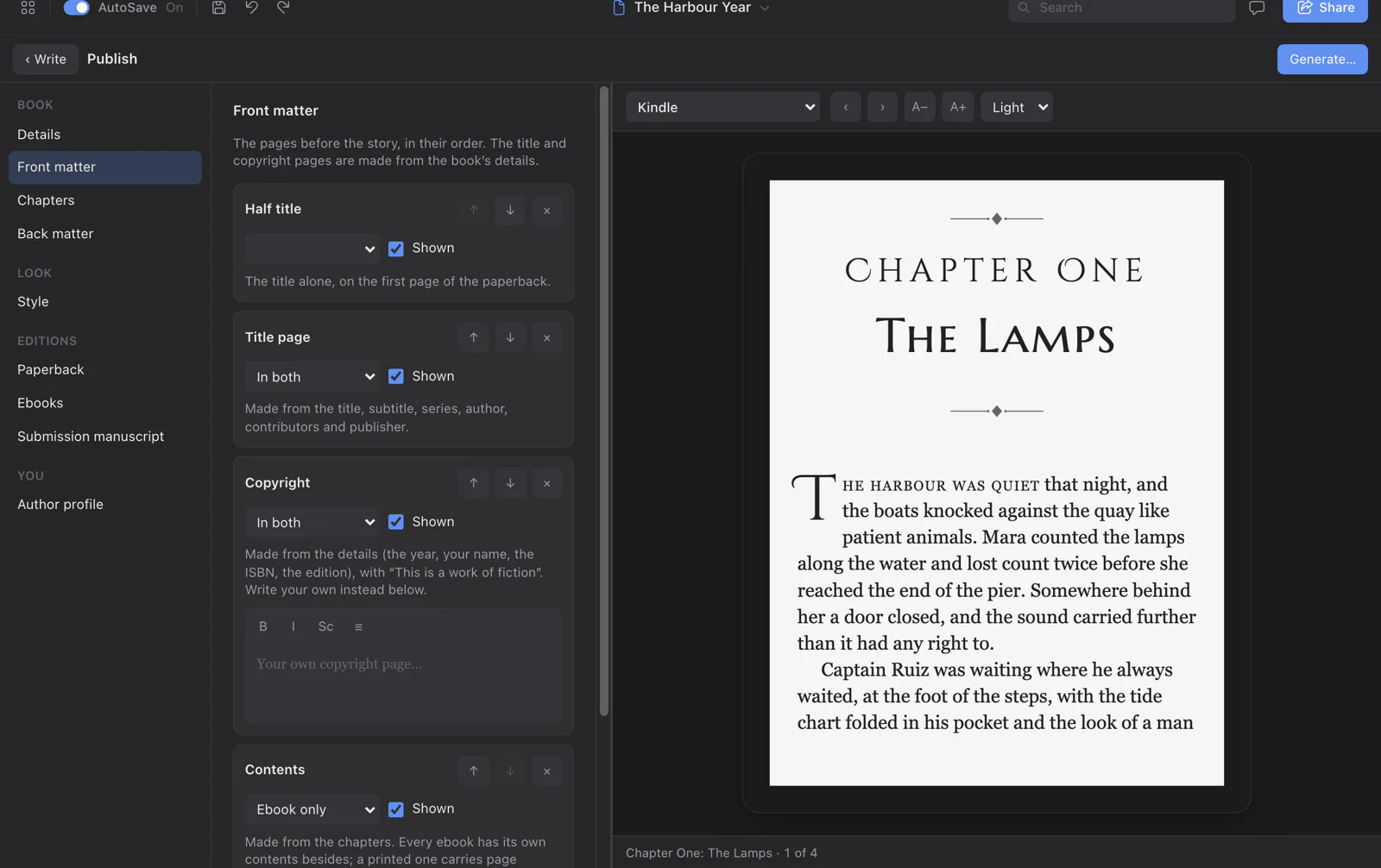
Front and back matter, made for you
Half title, title and copyright pages, dedication, epigraph, contents, About the Author and Also By with each store’s links, from your author profile, kept on this Mac for every book.
Since 1.5 · The Library
Your research, on the shelf beside your writing.
The Library keeps your books and documents, and now your papers too. Search the scholarly literature, read a free copy without leaving Scivelle, and cite it in your style. Google Scholar opens inside the Library as well, without a Google account, and a PDF you open there is read here and kept on your Papers shelf. Its browser keeps a History to go back to a page, and Private browsing keeps nothing at all.
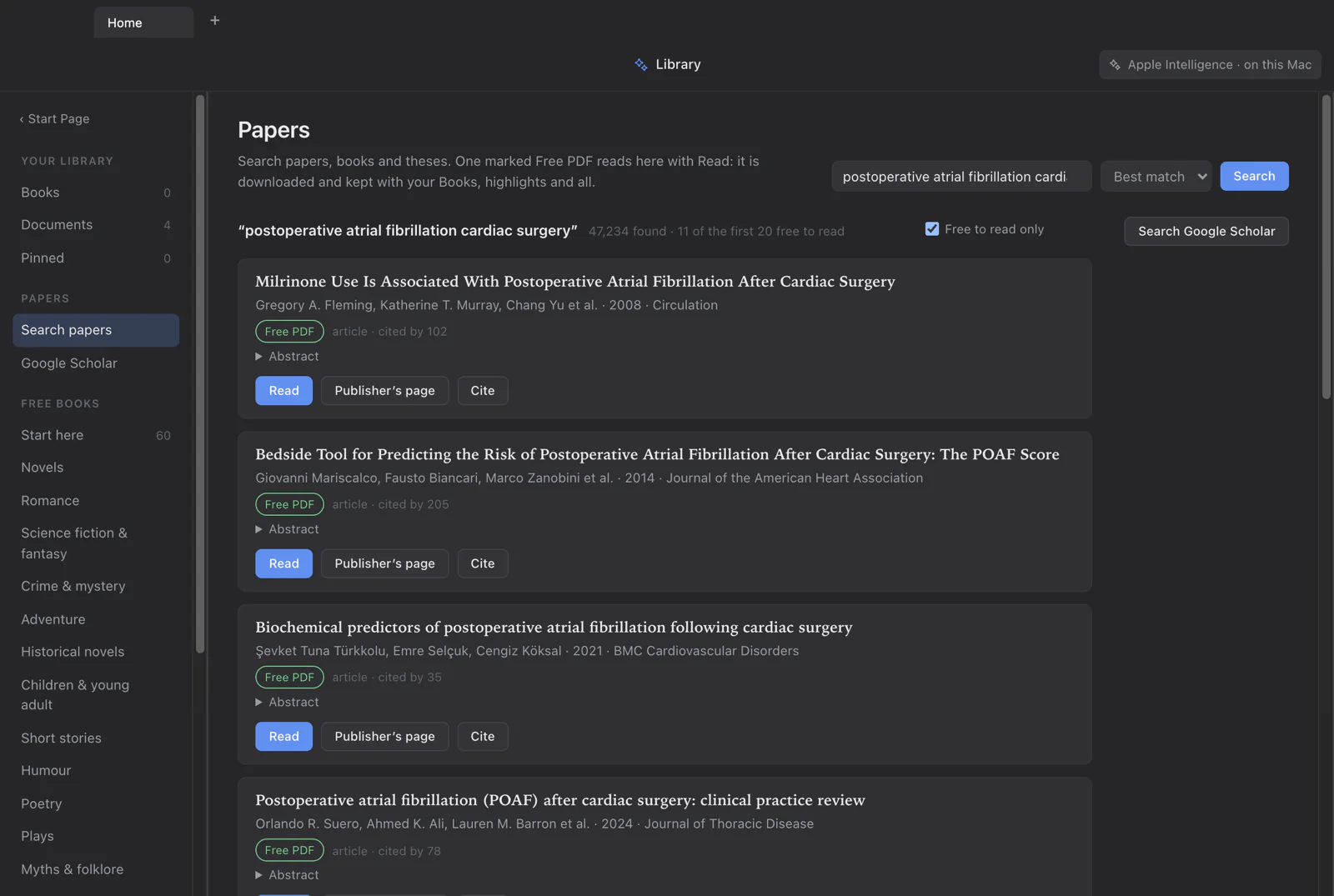
Step 1
Search papers
Type a topic, a title, an author or a DOI. Scivelle searches some 250 million papers, books and theses, shows which have a free copy, and sorts by best match, most cited or newest.
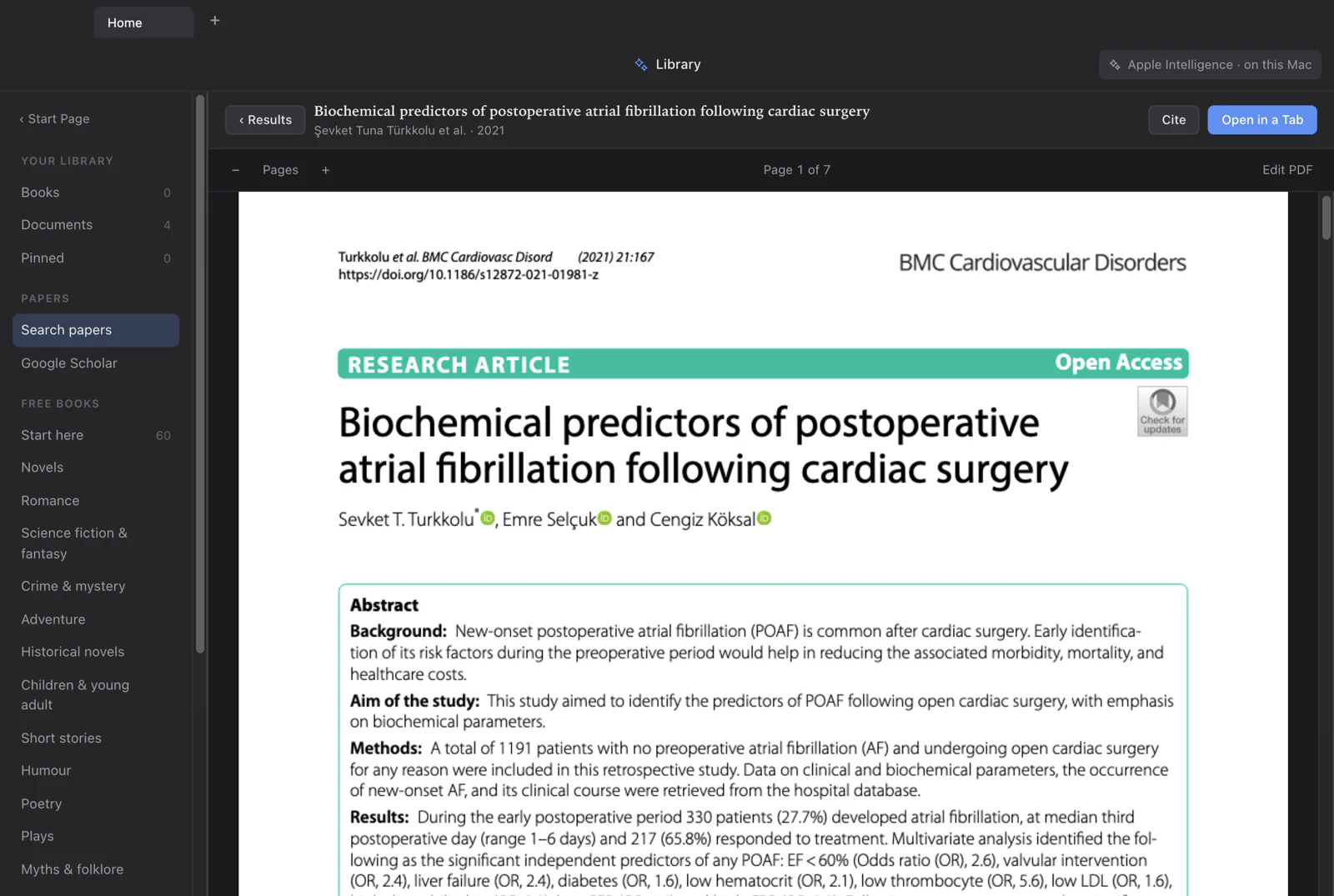
Step 2
Read it right here
Read opens a free paper on the spot, its pages as printed, and keeps it with your Books. Cite gives its reference in your style; Open in a Tab puts it beside your thesis to quote from, page number and all.
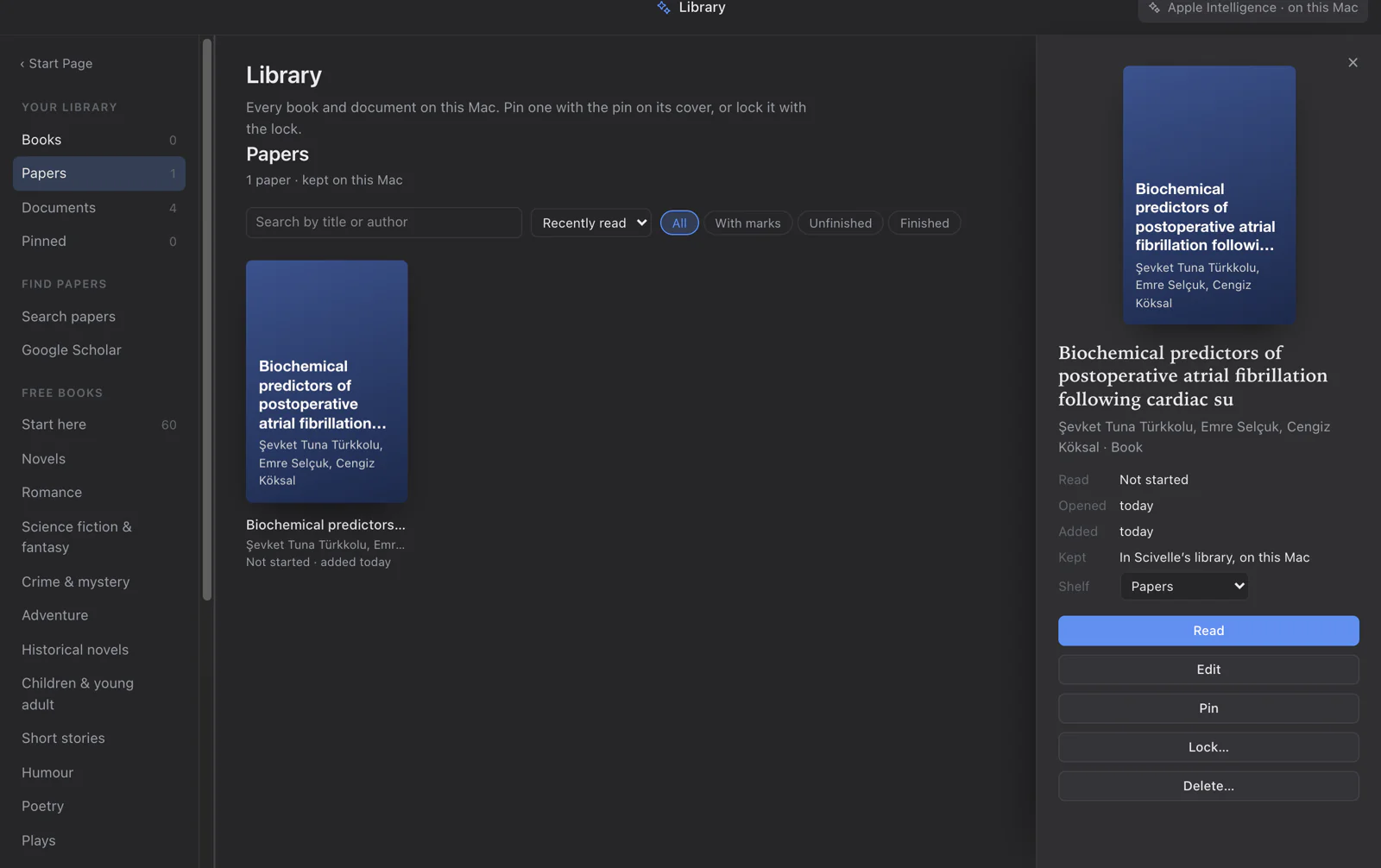
Step 3
Kept on the Papers shelf
Papers you keep go on a Papers shelf of their own, beside Books and Documents. Anything can be moved between shelves from its drawer.
Only the words you search are sent, and only when you search. A paper with no free copy opens on its publisher’s page, where you can sign in to your university library.
The Universe
Ask your story “what if?”
Stuck on a turn in the plot? The Universe plays out a question with the people you have already written, round by round, and plays out what might happen: the odds are the model’s guesses, not a forecast. It is a sounding board, never a ghostwriter: it suggests, you decide, and nothing goes into your book unless you put it there. A story world for a novel, a panel for a thesis, and a review panel to rehearse your readers.
1.Read the text into a world
Everyone in it, what each wants and fears, how they stand to one another, the facts and the open questions. Your Characters tab seeds it; you tick who moves.
2.Ask it a question, and run it
“What if Mara refuses to go to the harbour office at noon?” Four, eight or fourteen rounds. Every actor moves from their own persona and memory; a narrator resolves each round and re-weighs the outcomes. Step in with an event of your own.
3.Read the report, talk to anyone
What happened, each character in turn, the turning points, what it means for your book. Then ask the universe, or any actor, who answers from what they lived through.
Everything is kept on your Mac, with the document. With Apple Intelligence nothing leaves the computer; a service you connect is quicker. A run cut short picks up where it stopped.
See a whole run on the tour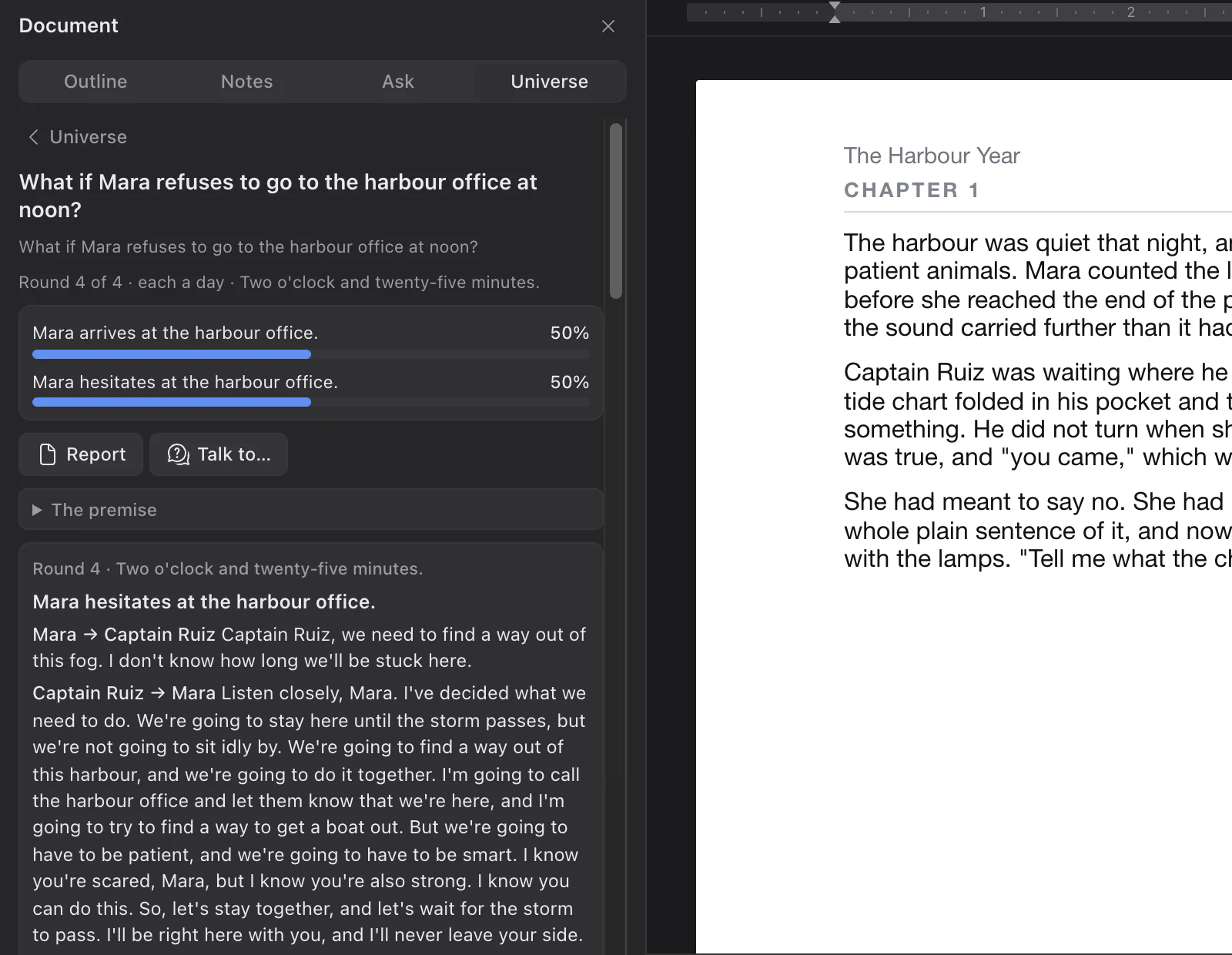
Locks
Lock the app. Lock the file.
Your manuscript, thesis or paper stays yours. Lock Scivelle, lock the file, or both: two layers of encryption.
Lock one
Scivelle itself
Scivelle opens only after Touch ID, your Apple Watch or your Mac’s password, and locks again whenever the Mac sleeps. While it is locked, your library, notes, highlights and saved versions are encrypted.
Lock two
Each document
Lock any document with a password or with Touch ID. The whole file is encrypted with AES-256. Email it, copy it or upload it: it stays locked wherever it goes, and opens with your password or your recovery key. A long password protects it best.
Your recovery key. We keep no copy.
When you first lock something, Scivelle gives you a private recovery key. Keep it somewhere safe, apart from your Mac. If you forget a password, it opens your locked work. We keep no copy of your password or recovery key, and no way to open your work without one.
Sharing a copy? Export Locked PDF sends it with the same AES-256 protection, readable only with the password you choose.
Writing checker
A second pair of eyes on every page.
Scivelle reads along quietly and marks what deserves a second look: a typo, a slip in tense, a sentence that runs long. Rest the pointer on a mark to see the fix and why, then take it or leave it. Nothing in your text changes until you click. A misspelled medical or legal term even comes back with its meaning, from your Mac’s own dictionary, so you know it is the right word. Better wording comes from the writing service you connect, such as Claude or ChatGPT, and only the paragraphs being checked go to it.
Audience
Built for the long form.
Three kinds of writer and the reader in all of them, one quiet page. Pick yours.
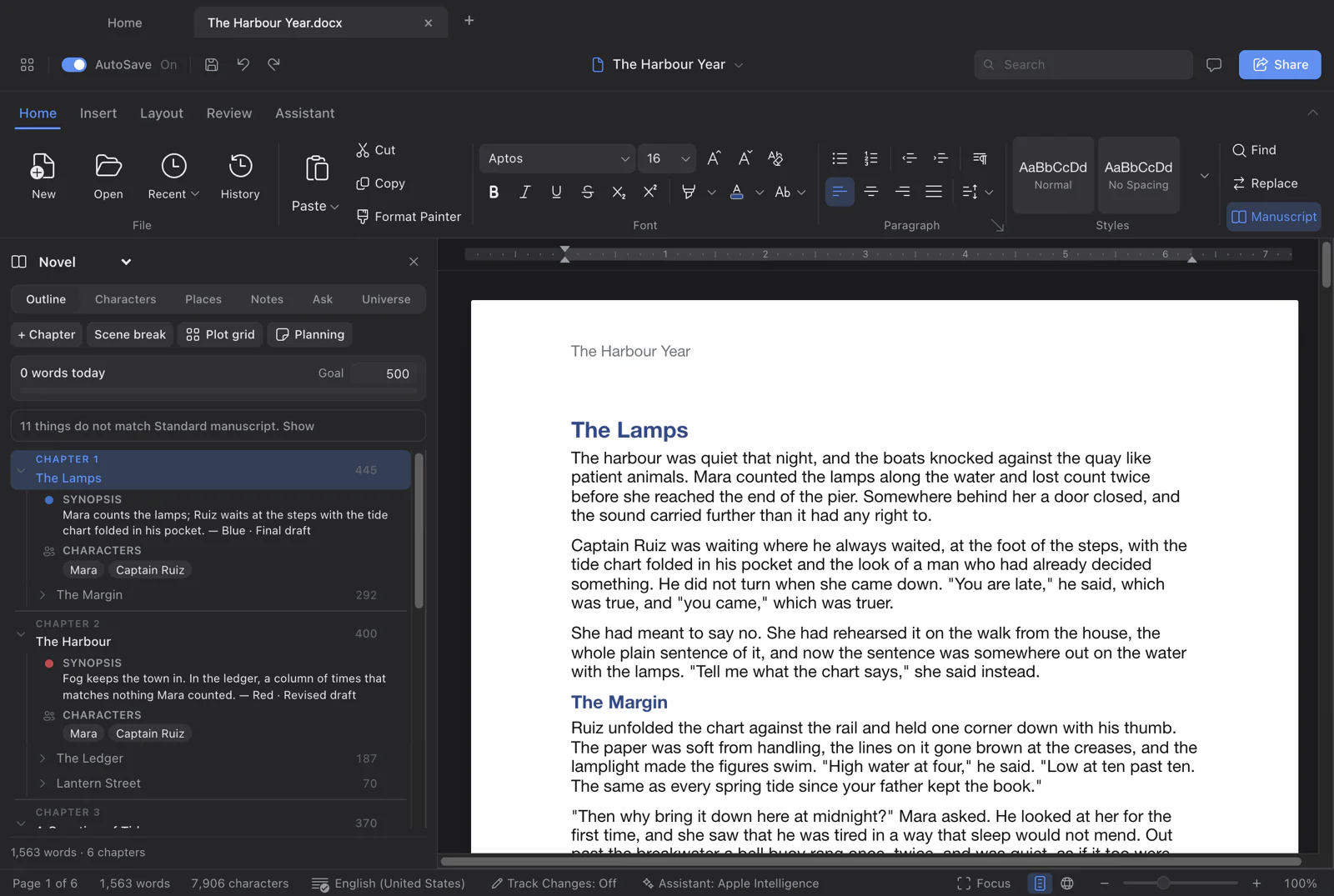
Set up the book before the first line, then keep it beside the page.
Write a novel opens a short wizard: title, genre and length; premise, point of view and tense; the cast with what each wants; the places; the plot on three acts, Save the Cat or the hero’s journey, whose beats become sticky notes on the chapters. Then the Manuscript pane keeps all of it beside the page.
Click a point to see it in the app.
Features
The infrastructure of a long book.
Local files, the versions you choose to keep, Word on both ends, and a helper that answers to you. The boring parts, done right, so your time goes to the writing.
Local-first. Offline by default.
Your manuscript is a file on your Mac, not a row in someone’s database. Write on the train, in a cabin, through a blackout. Nothing asks you to log in because there is nothing to log in to. Once activated, a licence works offline; the trial checks the date online now and then.
The Lighthouse Year.docx
~/Documents/Books · 41,205 words
Every version you keep.
Keep a version before a big change. Roll back a chapter, bring back the scene you cut on Tuesday, or just see how far you have come.
Today, 14:02
41,205 words · +612
Today, 09:17
40,593 words · +1,044
Yesterday, 22:40
39,549 words · the scene you cut
Syncs through the folder you already use.
Keep the book in iCloud Drive, Dropbox or OneDrive and it follows you to the next Mac. The file syncs through your own account; Scivelle never sees it.
Speaks fluent Word.
.docx in, .docx out. Styles, comments, tracked changes under your name, pictures and tables. Your editor keeps working in Word.
A helper, only when you want one.
It checks your grammar and wording, explains a term, or offers another way to say a sentence. It never writes into your book on its own, and Scivelle itself never trains anything on your writing; a service you connect handles your text under its own terms. Use Apple Intelligence on your Mac, or an account you already have with ChatGPT, Claude or Gemini. Your text goes only to the one you choose.
No tracking.
No analytics, no telemetry, no crash reports, no accounts, and nothing about your writing. The app talks to the internet only to check for updates and your licence, and for the trial, which keeps a one-way code for your Mac and the day it began. The privacy policy says exactly what goes where.
- No analytics
- No telemetry
- No crash reports
- No accounts
Pages that print as they look.
Real page sizes, running heads with the chapter title, “Page 12” bottom right. The PDF matches what you see on screen.
A start page that knows what you are writing.
Read a book, write a novel, a thesis or an essay, or something else. Each opens a short wizard with what writers and publishers settle before the first line, and the ribbon keeps only the tools that kind of writing needs. Your books and manuscripts wait on the shelves below.
The relationship tree.
Once the Universe has read the text, the Characters tab draws the ties it found: the main character at the centre, the people tied to them on the first ring, their ties on the next. Rename a tie, let it go, add one; drag, zoom, search for a name.
Since 1.4 · Version History
Try anything. Go back anytime.
Save points for your writing. Keep a version before a big change, try a new idea without touching the original, and bring back only what you like.
Keep a version when it matters
Your writing is saved as you go. When you reach a moment worth keeping, a finished draft or the night before a big rewrite, click Create Version. Look back at any of them, or bring one back.
Try an idea on a branch
A branch is a copy of your work where you can try something new, another ending or a bolder chapter, while the original stays exactly as it was. Switch between them at any time.
Compare them side by side
Two versions next to each other, chapter by chapter: what you took out in red, what you added in green, and a count of what changed.
Keep what works
Like the branch? Merge it back and its changes join your main text. If both sides changed the same paragraph, you choose which to keep. Changed your mind later? Undo the merge.
Pricing
One plan. Every feature. $0 today.
14 days of the whole thing, with no card on file. Decide when you have finished a chapter, not when a pop-up tells you to.
Scivelle
14-day full accessThe complete writing suite, for one writer, on your Mac. Nothing is held back for a higher tier.
- Every feature in one licence. No subscription, no add-ons.
- An optional writing helper: Apple Intelligence on your Mac, or a service you already use.
- Opens Word documents and exports them, tracked changes and comments included.
- The versions you choose to keep. Local files, no account.
- The Manuscript pane: chapters, scenes, characters, notes, the plot grid and the Universe.
- Reading mode with the companion, and listening in Scivelle’s own voices, yours included, OpenAI’s or the Mac’s.
- Updates through version 1.x included. A paid 2.0, if there is one, does not switch off the 1.x you have.
- Human support by email.
Due today
$0then $39.98, once
Full access for 14 days. No credit card required. When the trial ends, your manuscript stays open, readable and exportable; only editing waits for a licence.
Get it on the Mac App StoreStart 14-Day TrialmacOS 13 or later, Apple silicon and Intel. Code-signed and notarized by Apple. 14-day refund, no questions asked. Your files stay yours either way.
Questions about the price
- Is this a subscription?
- No. You pay once and the licence does not expire.
- What happens when my trial ends?
- Scivelle still opens, reads, prints and exports every document. Editing waits for a licence. Your files are never held back.
- Do I get free updates?
- Updates through version 1.x are included. If there is ever a paid 2.0, we intend to offer owners an upgrade price, and a new version never switches off the 1.x you have.
- Can I use it on more than one Mac?
- One key covers up to 3 of your Macs. Deactivate on one to move to another.
- Is there a student price?
- Yes: $24.98 once, for students and academics. It writes theses, essays and documents; novels and short stories are a $15 upgrade. Students page
- What about the writing helper?
- It is a helper, and it is optional. It checks and suggests; you decide what changes, and everything else works without it. Use Apple Intelligence on your Mac, or connect a service you already have and pay them directly. Scivelle has no analytics and never trains anything on your writing; the service you connect handles your text under its own terms.
- Can I get my money back?
- Yes, within 14 days of buying, no questions asked. Write to billing@scivelle.com.